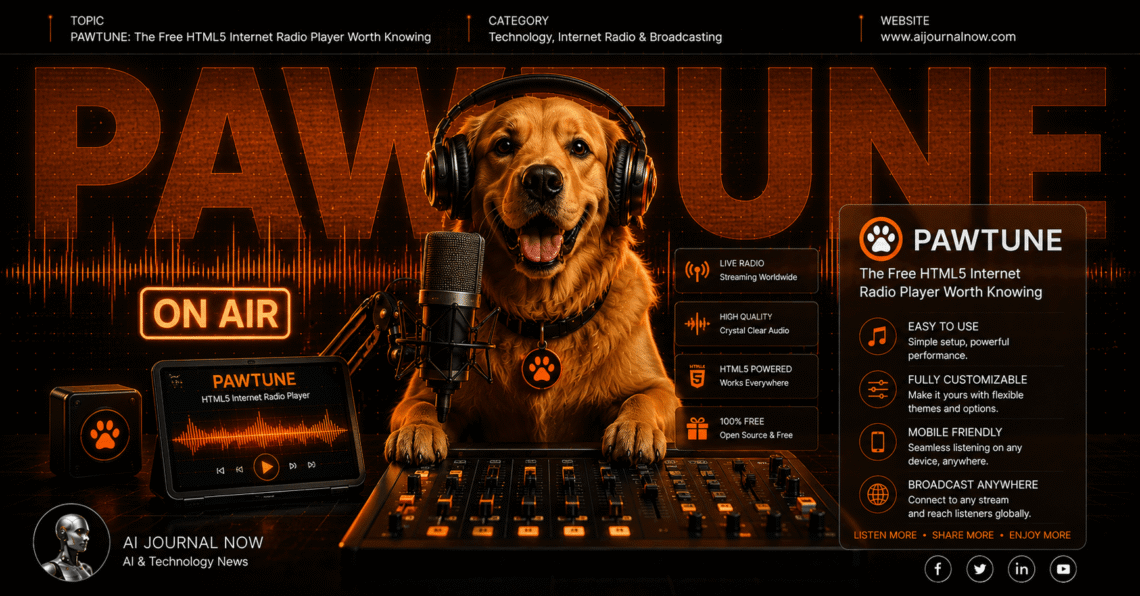
PawTune: The Free HTML5 Internet Radio Player Worth Knowing
Meta Description: PawTune is a free, open-source HTML5 radio player for SHOUTcast and Icecast. Here’s what it does, how it works, and why broadcasters love it.
If you run an internet radio station, you’ve probably wrestled with the question of how listeners actually tune in on your website. That’s exactly where PawTune comes in — and it’s one of the more impressive free tools in the online broadcasting space.
PawTune is an open-source HTML5 internet radio player built for SHOUTcast and Icecast streaming servers. It sits on your website, plays your stream, looks professional, and costs nothing. That last part still surprises people.
Let’s get into what it actually does and whether it’s the right fit for your station.
What Is PawTune and How Does It Work?
At its core, PawTune is a web-based radio player. You embed it on your site, point it at your stream URL, and your visitors can listen without leaving your page or downloading an app.
It’s built using the HTML5 Audio API, which means it works natively in modern browsers. No Flash. No plugins. and no compatibility headaches.
The player connects directly to your streaming server—whether that’s SHOUTcast, Icecast, AzuraCast, SAM Broadcaster, or Centova Cast. It pulls the stream data in real time, including the currently playing track, song history, and even album artwork.
Here’s the basic flow:
- You upload PawTune to your web host
- You configure it with your stream URL and settings via the built-in control panel
- You embed the player on your website
- Listeners hit play—and your station sounds exactly as professional as any commercial radio site
And because it’s open source, you can dig into the code if you want. But you really don’t have to.
PawTune Features That Stand Out
This is where PawTune earns its reputation. For a free tool, the feature list is genuinely impressive.
Four Pre-Built Templates PawTune ships with four visual templates out of the box. Each has its own layout and style. You pick one, adjust the color scheme to match your brand, and you’re done. No design skills needed.
Spectrum Visualizer The HTML5 Audio API powers a real-time audio spectrum visualization inside the player. It reacts to your stream live. It’s the kind of detail that makes a station look polished rather than cobbled together.
Real-Time Song History Depending on which API you’re connected to, PawTune can show a live list of recently played tracks. Listeners love this. It reduces the “wait, what was that song?” moment that every radio station deals with.
Multichannel Support: Got more than one stream or channel? PawTune handles multiple channels with per-channel configuration options. Useful if you run different genre streams under one station.
Multi-Bitrate Streaming Listeners can switch between stream quality levels — great for those on slower connections. Lower bitrate for mobile, higher for desktop. PawTune handles the switching cleanly.
Album Artwork Integration PawTune pulls artwork automatically from sources like Spotify, iTunes, LastFM, and FanArt TV. You can also upload custom images. The result is a player that looks alive rather than static.
PawTune Setup: What to Expect
I’ve noticed that people assume open-source tools are always a pain to set up. PawTune is actually one of the smoother installs in this space.
Here’s what the process looks like in practice:
- Download the ZIP file from the PawTune GitHub repository
- Upload the contents to a folder on your web host via FTP or your host’s file manager
- Access the control panel at
yoursite.com/folder-name/panel/index.php - Enter your stream details—URL, server type, channels, artwork API keys if wanted
- Copy the embed code and paste it into your website
The control panel is browser-based and doesn’t require coding. You configure everything through a clean interface with labeled fields and dropdown menus.
The only part that needs a little technical patience is artwork API setup. Services like LastFM and Spotify require you to register for a free API key. It takes about 10 minutes but adds a lot of visual polish to the final result.
What Servers and Platforms Does PawTune Support?
Compatibility is one of PawTune’s strongest points. It’s not tied to a single streaming ecosystem.
Supported streaming servers:
- SHOUTcast (public and admin access)
- Icecast (admin access required)
- AzuraCast (via WebSockets and API)
- SAM Broadcaster (via database integration)
- Centova Cast (public widget API)
- Direct stream URLs
- Custom API configuration
Artwork sources:
- Spotify
- iTunes
- Last.fm
- FanArt TV
- Custom URL patterns
Browser compatibility: Chrome 51+, Firefox 54+, Safari 9.1+, Opera 38+, IE 11+, and Android 4.4+. That covers virtually every listener you’ll realistically have.
In my experience, AzuraCast + PawTune is one of the cleanest combinations for small to mid-size stations. Both are free, both are open source, and they integrate well together.
PawTune vs. Other Radio Players
So how does PawTune stack up against the alternatives? There are a few worth comparing.
PawTune vs. StreamUp HTML5 Player: StreamUp offers a quick generator-based approach—fill in your stream URL, pick colors, and get code. It’s faster to set up but offers far less customization. PawTune is more powerful once you invest the extra setup time.
PawTune vs. RadioJar Embedded Player Radio Jar’s player is tied to their hosting platform. If you’re hosting with them, it’s convenient. If you’re not, PawTune wins on flexibility.
PawTune vs. Custom-Built Players Some broadcasters build their own player from scratch. That gives you total control but requires real development time. PawTune gives you 90% of that control without writing a single line of code.
The bottom line: if you want a free, self-hosted, fully customizable player that works with any major streaming server, PawTune is hard to beat.
Who Should Use PawTune?
PawTune is a great fit for a few specific situations:
Independent internet radio stations that want a professional web presence without paying for proprietary player software.
Podcast-style broadcasters who stream live and want a clean, embeddable player that shows current track info.
Community or nonprofit stations running tight budgets. Free, open source, and low maintenance — that combination matters when every dollar counts.
Web developers managing client stations who want a flexible base they can customize further with their own code if needed.
It’s probably not the best fit for very large commercial stations that need enterprise-level analytics, advanced scheduling, or dedicated technical support contracts. But for the long tail of independent broadcasters, it hits a sweet spot that paid alternatives often miss.
A Few Things to Know Before You Install
PawTune requires PHP on your web server. Most shared hosting plans include this by default, but it’s worth checking before you download anything.
The control panel is password-protected out of the box. Change the default credentials immediately after the first login—standard security practice, but worth flagging.
Artwork APIs need individual API keys from each service. Spotify’s and LastFM’s registration processes are both free and take a few minutes. Plan for that during setup.
Finally, PawTune promises lifetime updates with a minimum of 10 years from the release date. That’s an unusual commitment for an open-source project and worth noting if you’re evaluating long-term reliability.
FAQs
Is PawTune really free? Yes. Completely free and open source. There’s no paid tier, no premium features locked behind a paywall, and no license fee.
Does PawTune work on mobile? Yes. The design is fully responsive and works across phones, tablets, and desktops.
Do I need coding skills to use PawTune? No. The built-in control panel handles all configuration. Coding is optional for deeper customization.
What’s the difference between SHOUTcast and Icecast? Both are streaming server protocols. SHOUTcast was developed by Nullsoft and is widely supported. Icecast is fully open source. PawTune works with both.
Where can I get PawTune? The source is on GitHub. Download the ZIP, upload it to your host, and follow the setup steps in the README.
PawTune is one of those tools that does exactly what it says, doesn’t ask for anything in return, and keeps getting better over time. If you’re running an internet radio station and your web player situation feels like an afterthought, this is worth a couple of hours of your weekend to set up properly.
Your listeners will notice the difference—even if they can’t explain why.
Also Read: AI Tools for Freelancers: Work Smarter, Earn More