Mailgun is one of those technologies that sits behind the scenes and powers a big percentage of the emails you receive every day—transactional confirmations, password resets, newsletters—yet most people outside of the tech circles have never heard of it. Whether you’re constructing a product, running a startup or simply trying to get your head around how email distribution really works behind the scenes, this tutorial explains it all in simple terms.
What is Mailgun?
Mailgun, at its core, is an email delivery service for developers and enterprises who need to reliably send massive amounts of email. Founded in 2010 and later acquired by Rackspace, it is now used by thousands of firms worldwide to manage anything from basic notification emails to complicated marketing campaigns.
Mailgun is not like a typical email client like Gmail or Outlook, where you open it up and enter in. It is an API-first product—you plug it into your application or website through code, and it handles the actual sending of the emails that your system creates.
It’s easier to think of it this way: when you join up for a new app, and you get a welcome email right away, that email probably wasn’t sent by someone sitting at a desk hitting “send.” It originated from an automated system. Tools like Mailgun make that possible.
How does Mailgun work?
Mailgun sits between your application and your recipients’ inboxes. Here’s a brief summary of the process:
Step 1—Integration: You integrate the Mailgun service into your app via its REST API or one of its official SDKs (for Python, Ruby, Node.js, PHP, and more). This often only requires a few lines of code.”
Step 2 – Validation: You validate ownership of your sending domain using Mailgun via DNS records (SPF, DKIM, and DMARC). This is a big one, because it tells email providers like Gmail and Outlook that your emails are real, which helps deliverability a ton.
Step 3—Sending: When your app sends an email (such as when a user resets their password), it makes a call to the Mailgun API. Mailgun takes care of that request and sends the email for you.
Step 4 – Tracking: Mailgun then notes what happens—was the email delivered, opened, clicked, bounced, or tagged as spam? The data comes back into your dashboard or directly into your application.
This all takes place in milliseconds. From a user standpoint, the email just… shows up.
Key Features of Mailgun
Mailgun Email API
Mailgun’s API is the backbone. Send an email, attach files, specify a reply-to, and configure headers with only a simple HTTP request. This is really good for developers because you are not forced into a rigid interface.
Mailgun Email Validation
Another feature that is often forgotten is Mailgun’s own email validation tool. You may check if an address is legitimate, correctly formatted, and likely to receive mail before you send a message. This helps to maintain bounce rates low and a good sender’s reputation.
Mailgun’s Approach to Inbound Email
Most people think of email as something you send. But Mailgun also handles incoming mail. You can route incoming email to a webhook, parse the email, and respond programmatically. This is a significant win for support ticket systems or forwarding solutions.
Mailgun Analytics Dashboard
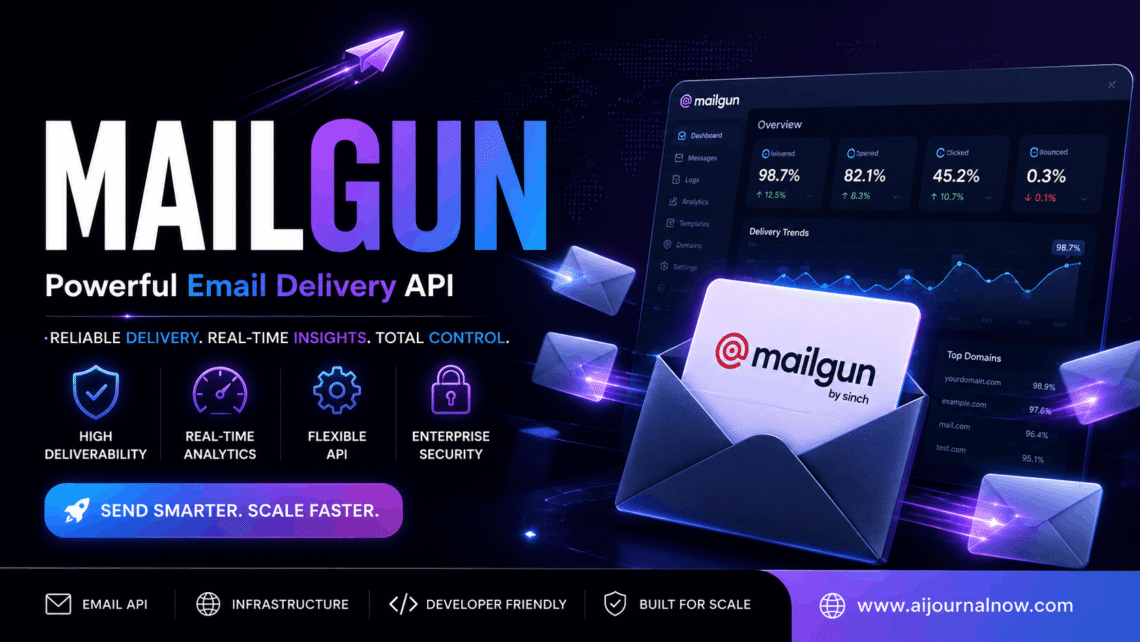
All emails you send with Mailgun are tracked. Opens, clicks, bounces, unsubscribes – it’s all tracked and available on your dashboard. This data is important for marketing and product teams to see if your emails are truly reaching individuals.
Benefits of using Mailgun
There are some good reasons why so many companies prefer Mailgun over building out their own email infrastructure.
Reliability at scale. Sending email at scale is hard, really hard. Mailgun does the hard work for you, including IP warm-up, bounce handling, and feedback loop management. It would require a devoted crew to execute it yourself.
Focus on deliverability. Mailgun has created a solid sender reputation during its years in business. When you transmit through Mailgun, you get to leverage that infrastructure. Emails reach inboxes, not spam bins.
Developer-friendly setup. Documentation is clear, APIs are fully defined, and SDKs are available for practically all popular languages. You can start using it without a week of configuration.
Flexible pricing. Mailgun has a free tier for low-volume senders and climbs from there. It’s an accessible starting place for small initiatives or early-stage enterprises.
Limitations to Keep in Mind
No tool is flawless, and Mailgun has its own set of trade-offs.
The free plan contains restrictions on the quantity of emails per month and the duration of records kept. If you require long-term analytics or significant volume right away, you’ll need to get a paid subscription rather shortly.
Mailgun is mostly for developers. If you’re a non-technical marketer searching for a drag-and-drop campaign builder, this probably isn’t your tool—something like Mailchimp might be better. Mailgun really thrives as part of a product or system, not when you’re using it as a separate newsletter platform.
There can also be slower customer support on lower-tier plans than certain competitors. This is worth factoring in for mission-critical transmitting.
Mailgun’s Real-World Use Cases
E-commerce with Mailgun
Online retailers utilize Mailgun to send out order confirmations, shipment updates, and return notices. Mailgun’s API is a logical fit for these emails, which are automatically triggered when something happens (a purchase or a shipment).
Mailgun for SaaS products
Mailgun is the platform software companies use to send onboarding sequences, billing alerts, password reset links, and system notifications. All email activity is initiated by a user activity within the app; thus, it all flows via the API without a hitch.
Mailgun for Freelancers & Agencies
Developers putting up client websites commonly incorporate Mailgun to power contact forms, booking confirmations, or automatic follow-ups. It’s more reliable than relying on a shared hosting email server and cleaner.
What is Mailgun?
It’s not tough to configure mailgun. Sign up for a free account; add your sending domain; verify it using the DNS records Mailgun gives you; and grab your API key. From there it’s only a matter of sending a test email in under 10 minutes.
The Mailgun manual talks you through everything with code samples in several languages. It’s really a simple setup for most devs.
Conclusion
Mailgun fits into a very specific but crucial niche: it lets you send email programmatically in a reliable, trackable, and scalable way without you having to create and maintain email infrastructure from scratch. It’s a pragmatic solution to a surprisingly difficult problem with minimal friction for developers, startups, and scaling businesses. Mailgun is meant to expand with you, whether you send 10 emails a day or 10 million a month.
Frequently Asked Questions (FAQs)
Q1: Can I use Mailgun for free?
Yes, Mailgun has a free plan that has a limit on the number of emails each month. It’s a good method to test out the platform before you pay for a tier.
Q2: Can I use Mailgun without knowing how to code?
Mailgun is mostly targeted for developers; thus, some coding knowledge is good to have. But you can still use it if you’re not a developer by integrating it with technologies like Zapier or no-code platforms that connect Mailgun to other apps without any code.
Q3: How does Mailgun increase email deliverability?
Mailgun employs domain authentication methods (SPF, DKIM, and DMARC); keeps a good sender reputation through its IP infrastructure; and gives tools to track and manage bounces—all to help ensure your emails don’t end up in spam boxes.
Q4. What is the difference between Mailgun and Mailchimp?
Mailgun is an API allowing developers to send transactional and personal email. Mailchimp is a marketing platform that includes a visual editor, audience management, and campaign capabilities. They serve distinct purposes—Mailgun for automated system emails but Mailchimp more for newsletters and marketing activities.
Q5. Does Mailgun offer email tracking?
Yes. Mailgun tracks opens, clicks, bounces, unsubscribes, and spam complaints. You can see this data in your dashboard and also transmit it to your app with webhooks in real-time.
Also Read: Android 10 Recent Apps: The Ultimate Guide for Everyone