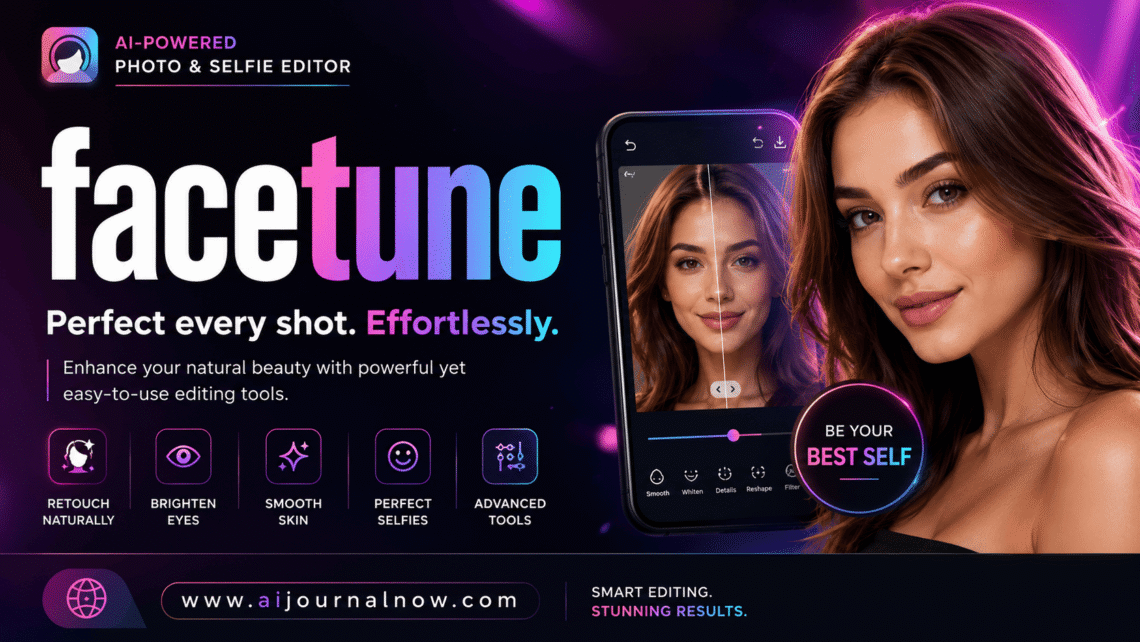
Facetune is the photo editing tool that quietly revolutionized the way millions of people show themselves on the web. Launched by Lightricks in 2013, it has developed from a niche retouching tool into one of the most downloaded apps worldwide. Scroll through any social media feed, and chances are, at least a few of those flawless images have been facetuned at some time.
But what does it actually do? Is it worth using? And should you know some things before you go in? Everything you need to know. No assumptions. No tech-speak.
What Is the Facetune App?
Facetune is a mobile picture editing application for retouching portraits and selfies. Unlike typical picture editors, which deal with landscapes and colors and filters in general terms, Facetune deals almost exclusively with the human face.
It gives you tools to smooth skin, whiten teeth, sculpt facial features, adjust lighting, and eliminate blemishes—all from your phone. You don’t need to be trained in design. Most of the tools are intuitive enough that, even if it’s your first time, you can get noticeable results in minutes.
The app is accessible for iOS and Android. It’s free to download with limited functionality, or you can pay for a subscription—Facetune Pro—which unlocks the complete toolbox.
How does Facetune work?
Essential Editing Tools
Facetune works by making localized edits to certain sections of a photo. You paint or tap on the area you wish to change—the tool only impacts that part, not the whole image.
Here is a short summary of the primary tools:
- Silky — Helps soften skin texture by reducing the look of pores, wrinkles, and fine lines. It is one of the most used functions in Facetune.
- Whiten—Lighten teeth and eyes. You put it on the spot, and it lightens it selectively, without the surrounding skin.
- Reshape—Here is where Facetune gets strong (and controversial). You can slim down a jawline, elevate cheekbones, change the size of a nose, or slightly change the proportions of the face.
- Patch — Sort of a healing brush. You pick an area or a blemish, and Facetune replaces it with the skin texture around it.
- Relight – Alters the lighting on the face to simulate the effect of a different studio setting. You can create a mellow glow, deepen the shadows, or replicate natural sunshine.
- Filters and Makeup — The newer versions of Facetune have virtual makeup overlays, such as lipstick, eyeshadow, and blush, that are digitally added to the photo.
New Releases Now Featuring AI-Powered Features
Facetune has been playing big with AI in its recent upgrades. The program can now automatically locate facial features, make clever modifications, and even transform portraits into short videos. Another handy feature is background editing that allows you to replace or blur the background of any photo, which is great for professional headshots. Read more about AI in photo editing at The Verge Photography.
Who Uses Facetune and Why
Influencers & Content Creators
This is likely the most typical use case. Polished photography is great for Instagram producers, TikTok personalities, and YouTube thumbnails. Facetune lets producers put their best face forward, especially when the lighting wasn’t so great during a shot.
Bloggers and Personal Branding
Your profile photo matters for a blogger. It’s everywhere. Your website, social profiles, guest post bios, and email newsletters. “With a quick facetune session you can make an average selfie look like a professional headshot and skip the cost of the studio.
Typical Users
You don’t need to be an influencer to use Facetune. Many people utilize it before sharing a photo they care about—a birthday image, a LinkedIn update, or a dating app profile. Social media has set the bar for “polished,” and Facetune lets users reach it on their own terms.
Freelancers and Small Business Owners
As a freelancer or small business owner, your personal photo is your brand. Facetune is a quick and cheap solution to seem professional without needing to hire a photographer for every new headshot.
Real World Example: Before & After
Picture this: You took a photo at a friend’s dinner party. The lighting was warm but not flattering—a touch bleached out. There’s a little spot on your chin, and you’re squinting a little from the glare.
With Facetune, you’d use Relight to equalize the exposure, Patch to get rid of the blemish, and Smooth on a low setting to soften without making your skin look plastic. Time? Five, four minutes. The effect looks like the shot was taken in better conditions, not like your face was digitally recreated.
That’s the sweet place facetune strikes when you don’t go overboard.
The Benefits of Facetune
Accessibility. No Photoshop skills or great computer needed. Facetune works on any current smartphone and is aimed at non-professionals.
Speed. Most revisions are less than five minutes. That’s a big time saver for someone who updates often.
Accuracy. When using tools locally, in certain locations, you have a lot of control. You’re not just filtering the full image with a blanket filter.
Versatility. Facetune isn’t just for skin retouching. It has backdrop edits, color grading, virtual makeup, and even video features. It has grown much beyond its intended intent.
Cost. Facetune is a lot more cost-effective compared to hiring a retoucher or professional photo editing software. The Pro subscription costs about $5-$6 each month.
Facetune Drawbacks
Facetune does have some actual drawbacks worth considering, though. No tool is flawless.
It can promote unreasonable standards. This is the most discussed critique. When facetune is used severely, reducing features and removing all texture, the final product no longer resembles a genuine person. “Repeated exposure to these heavily edited images can skew what people think faces look like naturally. ” Healthline covers this in detail.
It’s easy to over-edit. The tools are touchy. A beginner may overdo smoothness and produce a face that seems airbrushed to the point of being unnatural. It takes a little practice to know when to quit.
Limited in free version You get a lot of features for free, but some of the better ones, like Relight and the AI tools, are only available with the Pro membership. If you want anything more than basic adjustments, you hit the paywall shortly.
It doesn’t fix faulty basics of photography. If it’s poor focus, motion blur, or very strong lighting, it’s hard to repair in Facetune. Works best when the base photo is already good.
Facetune vs other editing apps
Facetune is not the only retouching app. All three, including Adobe Express, offer portrait tools. Facetune’s advantage, however, is that it only works on faces. It digs deeper into skin, face structure, and features than any general-purpose editing program.
Those alternative tools might be better for you if you need to modify landscapes, change color profiles, or work with raw photo files. But for portrait retouching especially, there is no other purpose-built tool on the market besides Facetune.
Tips for Using Facetune Effectively
Don’t use 100% strength on the smooth tool; use 20-30%. Full intensity looks artificial. Low intensity looks like improved skin.
Use Patch and always zoom in. Accuracy counts; if you are not accurate, the outcome looks smeared.
Relight before any skin tools. Fixing the light first implies you will require less total retouching.
Use the toggle option to constantly compare before and after. It’s easy to lose perspective when you’re editing. Take frequent breaks.
Frequently Asked Questions
Q1: Is Facetune free?
It’s free, but limited. The most essential features such as Relight, powerful reshaping tools, and AI functions are available only with a Facetune Pro membership. Pricing is roughly $5.99/month or less if you choose a yearly plan.
Q2: Is Facetune just for selfies?
Not any more. Facetune was originally designed for selfies but now does group photographs, professional portraits, and even backdrop retouching. It works on any photo that has a face; some background aspects work on non-portrait photos as well.
Q3: Can people detect when a photo has been facetuned?
Usually not, just slight adjustments. Yes, it often becomes obvious with significant alterations, especially on facial structure. The most typical tells include skin that seems too smooth, features that appear unnaturally symmetrical, and backdrops that are twisted around the face.
Q4. Is it safe to use Facetune?
Technically, the app is safe – it’s a real app from a real developer. The most serious worry is mental health and self-image. Studies have found a correlation between heavy usage of editing applications and body image dissatisfaction, especially in younger people. It’s good to know how much you change and why. Learn more at APA.org.
Q5: Does Facetune function on Android?
Yes. Facetune is available for iOS and Android. Both platforms have basically the same feature set, while some AI features have historically been out on iOS early.
And Facetune is actually a helpful tool if used thoughtfully. It’s a tremendous value at a reasonable price for bloggers, freelancers, and anyone who cares about their online looks. The trick is to use it to improve what is already there, not to create it. A little goes a long way, and the ability that differentiates a natural-looking edit from an obvious one is knowing when to stop.
Also Read: Agentforce: What It Is and How It Works