Scroll through Instagram Reels or TikTok for five minutes and you’ll notice them — those short, hypnotic videos that seem to play forever without an obvious start or end. A candle flickering. Rain falling on a window. An animated logo gently pulsing. They’re satisfying to watch, they hold attention, and they require surprisingly little effort to make—e.g., tools, especially when you use an AI loop video generator.
These tools have become genuinely useful for creators, marketers, and business owners who want professional-looking video content without spending hours in editing software. This guide explains exactly what they are, how they work, and how to use one effectively.
What Is an AI Loop Video Generator?
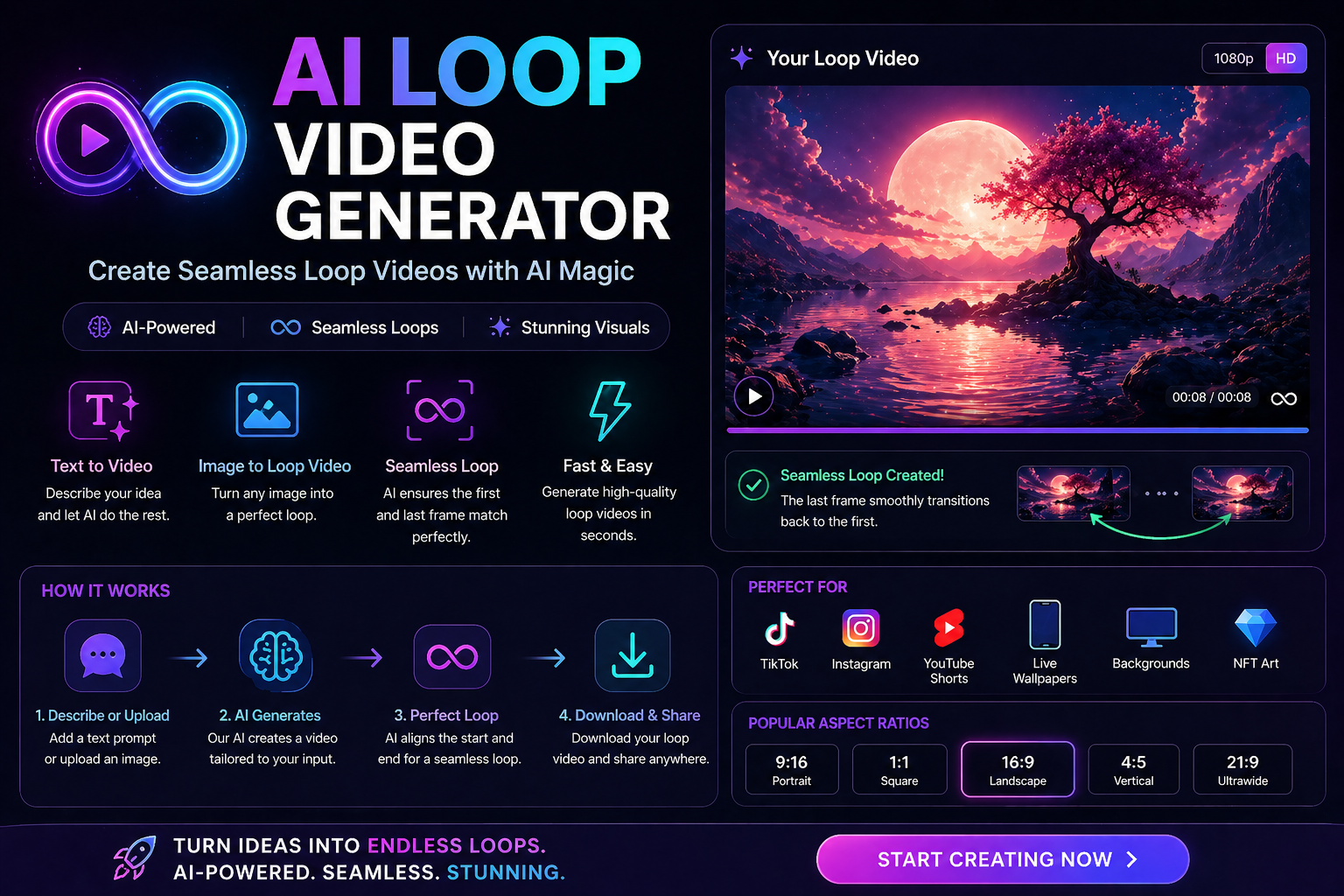
An AI loop video generator is a tool that creates short video clips designed to play on repeat—seamlessly, without any visible cut or jump between the end of one loop and the beginning of the next. The “AI” part means the tool handles the hard technical work automatically: matching the first and last frames, smoothing motion, and generating any intermediate content needed to make the loop feel natural.
Some tools start from a static image and animate it into a looping clip. Others take an existing short video and intelligently extend or reverse it so the ending connects cleanly back to the beginning. Either way, the result is a video that plays indefinitely without feeling repetitive or jarring.
Think of a product shot of a perfume bottle with light gently moving across the glass. Or a website hero section with slowly drifting clouds. Or podcast cover art that pulses softly. All of those are loop videos — and all of them can be generated in minutes with the right AI tool.
How Does AI Loop Video Generators Actually Work?
The technology behind an AI loop video generator depends on the tool, but most use some combination of generative video models and motion interpolation. When you upload a still image, the AI analyzes the content—identifying what’s likely to move naturally (water, fire, hair, fabric, clouds) versus what should stay still—and generates frames of smooth motion around those elements.
For video-to-loop conversion, the AI analyzes the first and last frames of a clip, calculates the differences, and either reverses the clip to create a “boomerang” effect or generates in-between frames that transition smoothly from the end back to the beginning. The best tools produce loops so clean you genuinely can’t spot where the repetition happens.
The quality of your output depends heavily on your input. Clean, well-lit images with clear subjects produce noticeably better loops than blurry or cluttered ones. Even with a great AI tool, garbage in still means garbage out.
Who Actually Uses These Tools?
The audience is broader than you might expect. Social media managers use AI loop video generators to create ambient background content for brand accounts—the kind of aesthetic, slow-motion visuals that perform well as Reels or TikToks without requiring a camera crew or shoot day.
E-commerce brands animate product photography into looping clips for ads and landing pages. A skincare brand, for instance, might take a still shot of a moisturizer and turn it into a gentle loop with soft lighting movement—far more eye-catching than a static image in a Facebook ad and far cheaper than commissioning a full video shoot.
Musicians and podcasters use loop videos for cover art animations — a simple, professional-looking visual that works on YouTube, Spotify Canvas, and social previews. Bloggers and content creators use them for website backgrounds and video intros.
Even students and freelancers are using these tools for presentations, portfolio pieces, and client deliverables that need a more polished look than static slides can provide.
The Best AI Loop Video Generator Tools Worth Trying
Runway ML is one of the most capable options available. Its Gen-3 model handles image-to-video and video extension with impressive quality, and the loop creation workflow is relatively straightforward for a tool this powerful. It’s not free beyond the trial, but for professional use it’s hard to beat.
Kling AI has become a popular alternative, particularly for users who want high-quality motion from still images. It handles complex subjects—faces, landscapes, and water—with strong consistency across frames.
LeiaPix Converter is worth mentioning for its specific niche: turning 2D images into depth-animated loop videos with a parallax effect. It’s free for basic use and produces a distinctive look that works particularly well for portrait and landscape photography.
Canva’s AI video tools offer the easiest entry point for complete beginners. The results aren’t as sophisticated as Runway’s, but the interface is familiar and the free tier is genuinely functional for simple loops.
AI Loop Video Generators: Practical Tips for Better Results
Start with a high-resolution image—at least 1080 px on the short side. The AI has more information to work with and produces cleaner motion as a result.
Keep your loops short. Three to six seconds is the sweet spot for most platforms. Longer loops can feel slow and lose the seamless quality that makes them effective. Instagram and TikTok both favor short, tight clips algorithmically anyway.
Choose subjects with natural motion potential. Flames, water, fabric, smoke, foliage, and hair all animate convincingly. Hard architectural edges and text tend to produce less convincing results because any imperfection in the motion is immediately noticeable.
Export at the right aspect ratio for your platform before you publish. Most tools let you choose between 16:9 for YouTube, 1:1 for the Instagram feed, and 9:16 for Reels and TikTok. Getting this right before exporting saves you from awkward cropping later.
Honest Limitations to Know
AI loop video generators are impressive, but they’re not flawless. Fine details — fingers, text, intricate patterns — often distort or blur during AI-generated motion, which can make the output look uncanny on close inspection. Always preview your loop at full size before publishing.
Free tiers on most tools add watermarks or limit resolution, which is fine for testing but not for anything client-facing or professional. Budget for a paid plan if you need clean output regularly.
Platform policies on AI-generated video content are evolving quickly. Some platforms now require disclosure when content is AI-generated. Check the current guidelines for wherever you’re publishing before you post—especially for paid advertising.
AI Loop Video Generators: Frequently Asked Questions
Can I create a loop video from a single photo?
Yes—that’s actually one of the most common use cases for an AI loop video generator. Tools like Runway, Kling AI, and LeiaPix can take a single still image and animate it into a smooth looping clip. The quality varies by tool and subject matter, but for images with natural motion elements like water, fire, or fabric, the results can be genuinely impressive.
Are AI loop video generators free?
Most tools offer a free tier with limitations — watermarks, lower resolution, or a capped number of generations per month. LeiaPix is among the most generous with its free plan. Runway and Kling offer free trials but require a paid subscription for regular professional use. Canva’s free tier includes basic video animation tools. If you only need occasional loops, free tiers are often enough to get started.
How long should a loop video be?
For most social media platforms, three to six seconds is the ideal range. Short enough to feel tight and intentional, long enough for the motion to feel natural rather than rushed. Instagram Reels, TikTok, and YouTube Shorts all handle short loops well. For website backgrounds or ambient display screens, you can go slightly longer — up to 10–15 seconds — before the repetition becomes noticeable.
What file format should I export my loop video in?
MP4 with H.264 encoding works reliably across virtually every platform — social media, websites, presentations, and ad platforms all accept it. For web use where you want the smallest possible file size, WebM is worth considering if your platform supports it. GIF is an option for very short loops in contexts where video isn’t supported, but the file sizes are large and quality is lower than MP4 at equivalent resolutions.
An AI loop video generator is one of those tools that feel like a small upgrade until you actually start using it—and then you wonder how you were producing content without it. Start with a free tier, experiment with a few different subjects, and see what fits your workflow. The learning curve is genuinely shallow, and the results are worth the time investment.