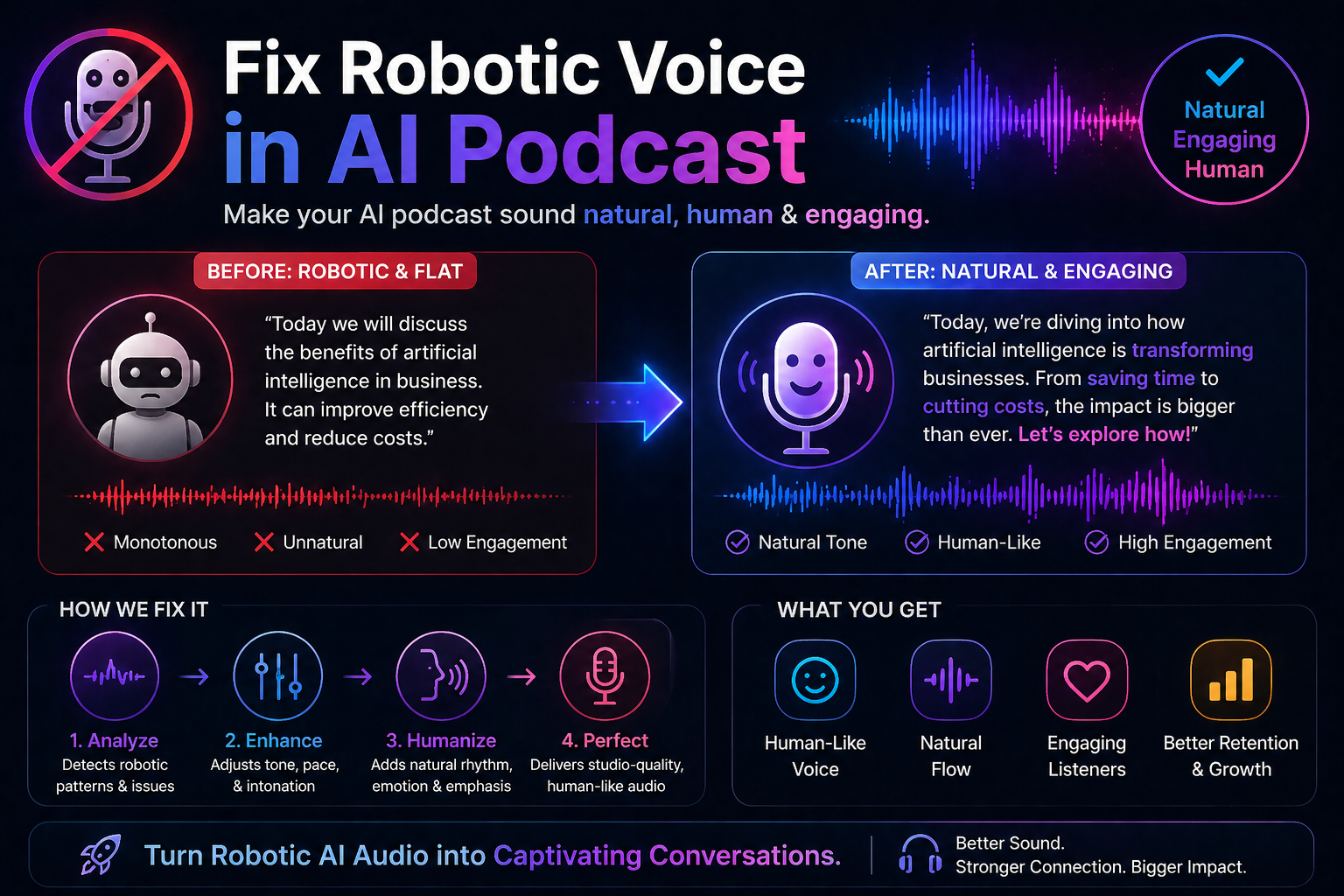
You’ve set up your AI podcast, generated the first episode, and hit play — only to wince at what comes out. The voice sounds flat. Every sentence ends at the same pitch. There’s no energy, no warmth, and no sense that a real person is speaking. It sounds like a GPS giving directions, not a podcast worth listening to.
It’s one of the most common frustrations with AI-generated audio, and the good news is it’s almost always fixable. A robotic-sounding AI podcast voice usually comes from a combination of the wrong tool, poorly written scripts, and skipped post-production steps. Fix robotic voice in ai podcast those three things and the difference is striking. This guide walks you through exactly how.
Also Road: Select Which Claude Model Is Right for You: Haiku or Sonnet?
Why AI Podcast Voices Sound Robotic
Before fixing the problem it helps to understand where it comes from. AI text-to-speech voices convert written text into audio by predicting how words should sound based on their training data. The robotic quality appears when the AI reads text that sounds natural on a page but doesn’t reflect how people actually speak out loud.
Bullet points, formal sentences, academic language, and perfectly grammatical prose all sound fine when you read them silently. Spoken out loud — even by a human — they feel stiff and unnatural. An AI voice amplifies that stiffness because it has no instinct for where to pause, breathe, or add emphasis the way a real speaker would.
The other factor is the voice model itself. Not all AI voices are equal. Older or lower-quality text-to-speech engines produce flat, monotone output almost regardless of what text you feed them. Newer neural voice models — the kind used by tools like ElevenLabs, Murf, and Play.ht — are dramatically more expressive and require less workaround to sound human.
Start With a Better Voice Tool
If you’re using a basic free text-to-speech generator and wondering why it sounds robotic, the honest answer is: that’s what basic free TTS sounds like. The technology behind different tools varies enormously.
ElevenLabs is currently the gold standard for expressive AI voice generation. Its voices handle emotional range, pacing variation, and natural-sounding emphasis better than almost any competitor. The free tier is limited in monthly character count but gives you enough to test whether it solves your problem before paying.
Murf AI is another strong option, particularly for podcasts and voiceovers. It has a large library of voices across multiple accents and languages, and its studio interface lets you adjust pitch, speed, and emphasis at the sentence level — which is exactly the kind of control you need when fine-tuning a podcast episode.
Play.ht offers similar quality and adds voice cloning, so you can train a model on your own voice and generate AI audio that sounds specifically like you rather than a stock voice.
If switching tools is an option, do that first. A high-quality voice model running a mediocre script will almost always sound better than a mediocre voice model running a perfectly written one.
Before committing to any paid AI voice tool, generate the same test paragraph in each platform’s free tier and compare them directly. The quality differences between tools are immediately obvious when you listen side by side.
Rewrite Your Script the Way People Actually Talk
This is where most AI podcasters lose the most ground — and it costs nothing to fix. The way you write for the page and the way you speak out loud are genuinely different, and AI voices expose that gap mercilessly.
Read your script out loud before generating the audio. Every sentence that feels slightly awkward to say will sound worse when an AI reads it. Shorten long sentences. Break up complex thoughts. Use contractions — “it’s” instead of “it is,” “you’re” instead of “you are.” These small changes make a significant difference in how natural the output sounds.
Add natural pauses and hesitations deliberately. A comma creates a short pause in most TTS engines. A period creates a longer one. You can also use ellipses or dashes to signal a pause where the punctuation alone wouldn’t create one. In ElevenLabs and Murf, you can insert explicit pause markers — something like [pause 0.5s] — to control timing precisely.
Vary your sentence length deliberately. Three short sentences in a row followed by a longer one creates rhythm. All long sentences sound droning. All short sentences sound choppy. Mixing them is what creates the feeling of natural speech.
Use SSML to Control Voice Behavior
SSML stands for Speech Synthesis Markup Language — it’s a set of simple tags you can add to your script text to tell the AI exactly how to deliver specific words or phrases. Most professional TTS platforms support it, including ElevenLabs, Google Cloud TTS, and Amazon Polly.
With SSML you can make specific words louder or softer, slow down or speed up particular phrases, insert precise pauses, add emphasis to key words, and even control breathing. It sounds technical but the basics are simple. Wrapping a word in an emphasis tag, for example, tells the engine to stress it the way a human speaker naturally would. These small controls compound across an episode into something that feels significantly more alive.
Post-Production Makes a Bigger Difference Than Most People Expect
Even a well-generated AI voice benefits from audio processing. A few targeted adjustments in a free editor like Audacity or GarageBand can transform flat AI audio into something that sounds broadcast-ready.
Start with EQ — boosting the mid-range frequencies (around 2–4 kHz) adds presence and clarity to a voice that sounds thin. Apply light compression to even out volume differences between louder and quieter moments, which makes the audio feel more consistent and easier to listen to. Add a very small amount of reverb — just enough to make the voice sound like it exists in a real space rather than a vacuum. And use a noise gate to cut any low-level background hiss between words.
None of these steps require audio engineering experience. Audacity has one-click noise reduction, and a basic compression preset designed for voice will get you 80% of the way there immediately.
Don’t over-process AI podcast audio trying to make it sound more human. Heavy effects — too much reverb, aggressive pitch shifting, over-compressed audio — usually make the robotic quality more obvious rather than less. Subtle adjustments consistently outperform dramatic ones.
Choose the Right Voice for Your Content
A mismatch between voice character and content is one of the most overlooked reasons AI podcasts sound off. A fast-talking, high-energy voice on a calm meditation podcast sounds bizarre. A slow, measured voice on a tech news show feels frustratingly slow. Take time to test different voices against your actual content before locking in — most platforms have large enough libraries that finding a genuinely good fit is realistic.
Frequently Asked Questions
Why does my AI podcast voice sound so flat and emotionless?
Flat delivery usually comes from one of two things: a low-quality TTS engine that lacks expressive range, or a script written in formal, page-optimized language rather than conversational speech. Try rewriting your script with shorter sentences, contractions, and varied rhythm — then test the same text in a higher-quality tool like ElevenLabs. Most people are surprised how much the script change alone improves the output.
What is the best AI voice tool for podcasts that doesn’t sound robotic?
ElevenLabs consistently produces the most natural-sounding AI voices currently available, particularly for longer-form audio like podcasts. Murf AI is a strong alternative with more control over delivery parameters. Play.ht is worth considering if voice cloning — generating audio that sounds like your own voice — is important to you. All three offer free tiers that let you test quality before committing.
Can I fix a robotic AI voice without switching tools?
Yes, partially. Rewriting your script in a more conversational style — shorter sentences, contractions, deliberate pauses — improves output quality in almost any TTS engine. Post-production processing in Audacity can also make flat audio feel warmer and more present. That said, if your tool uses an older or lower-quality voice model, there’s a ceiling on how much improvement you can achieve without switching to a more capable platform.
Is it possible to make an AI podcast voice sound completely human?
Close — but not indistinguishable, at least not yet. The best AI voices today are convincing enough that casual listeners often don’t notice. Trained ears and attentive listeners usually can. The goal for most podcasters isn’t perfect human mimicry — it’s a voice that’s warm, clear, and engaging enough that the listener stays focused on the content rather than being distracted by the delivery. That bar is very achievable with the right tools and a well-written script.
A robotic AI podcast voice is rarely a dead end — it’s usually a sign that one or two specific things need adjusting. Start with your script, upgrade your voice tool if needed, and add light post-production. Each step compounds on the others, and the difference between a first draft and a properly tuned AI podcast voice is often bigger than you’d expect.