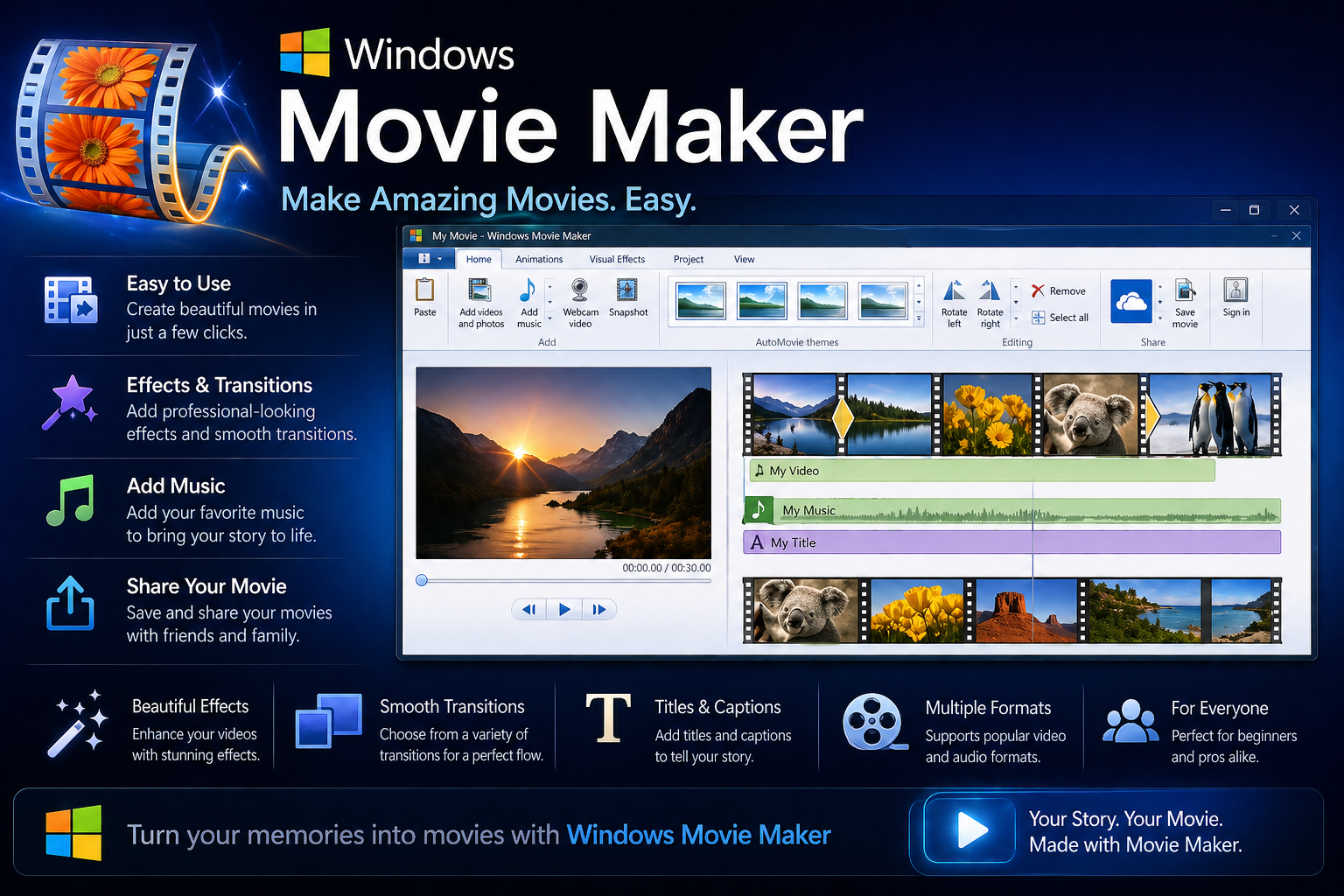
If you learned to edit videos on Windows Movie Maker, you’re not alone. For millions of people — students making school projects, parents putting together family slideshows, early YouTubers finding their feet — it was the first editing software they ever touched. Simple, free, and already on your computer. Then Microsoft quietly killed it in 2017, and a lot of people have been looking for a worthy replacement ever since.
The honest answer is there’s no single tool that replaced Movie Maker — there are several, each better suited to different types of users. Some are free. Some are better than Movie Maker ever was. This guide walks through the best options so you can find one that actually fits how you work.
Why Microsoft Discontinued Movie Maker
Microsoft stopped supporting Windows Movie Maker in January 2017, officially ending downloads through its website. The reason was straightforward — the software hadn’t been meaningfully updated since 2012, and Microsoft was shifting its focus to Photos app integrations and the broader Windows 10 ecosystem. The company briefly positioned the Photos app as a Movie Maker successor, but it was never a real replacement in terms of features or usability.
You can still find unofficial Movie Maker downloads floating around the internet, but installing them is risky. Those files are not coming from Microsoft, they’re not updated or patched, and several have been flagged for bundled malware. Steer clear and use something that’s actually maintained.
The Best Free Replacements for Movie Maker
Clipchamp — Microsoft’s Official Replacement
Microsoft acquired Clipchamp in 2021 and built it into Windows 11 as the closest thing to an official Movie Maker successor. It runs in your browser and as a desktop app, has a drag-and-drop timeline, supports basic transitions, titles, and music, and exports without a watermark on the free plan. If what you loved about Movie Maker was its simplicity and the fact that it was already on your Windows computer, Clipchamp is the most natural next step.
It’s not powerful by any stretch — there’s no multi-track audio, no advanced color tools, and the effects library is limited. But for family videos, simple slideshows, and quick social media clips, it does the job without a learning curve.
DaVinci Resolve — Best Free Option Overall
If you’re willing to spend a little time learning something new, DaVinci Resolve is the most capable free video editor available — by a wide margin. The free version includes professional-grade color grading, multi-track editing, advanced audio mixing, and visual effects tools that actual TV and film editors use daily. It exports without watermarks and has no usage limits.
The learning curve is steeper than Movie Maker, but there are hundreds of beginner tutorials on YouTube that make the basics approachable within a few days. For anyone who wants to genuinely improve their editing skills rather than just get something simple done, this is the obvious long-term choice.
CapCut — Best for Social Media Creators
CapCut has become enormously popular among content creators and it’s easy to see why. It’s free, available on Windows, Mac, iOS, and Android, exports without a watermark, and includes features Movie Maker never had — auto-captions, AI background removal, beat sync, and a huge library of templates optimized for TikTok, Reels, and YouTube Shorts.
If the videos you want to make are primarily for social media, CapCut is arguably a better fit than any of the more traditional desktop editors. It’s built around the formats and workflows that matter for online content in 2026.
iMovie — Best for Mac Users
If you’ve moved to a Mac since the Movie Maker days, iMovie is the direct equivalent — free, pre-installed, simple, and perfectly capable for everyday video editing. It’s more limited than DaVinci Resolve but significantly more polished than Clipchamp. For home videos, travel montages, and basic YouTube content, iMovie covers everything most casual editors actually need.
One genuinely useful feature: iMovie projects export directly to Final Cut Pro if you ever want to upgrade to a professional tool without starting over.
Kdenlive — Best Free Option for Linux and Power Users
Kdenlive is an open-source video editor that runs on Windows, Mac, and Linux. It’s more capable than Clipchamp and more approachable than DaVinci Resolve for many users. Multi-track timeline, keyframe animation, proxy editing, and a solid effects library — all free, with no watermarks and no usage caps. The interface is less polished than commercial tools, but the feature set punches well above its price point of zero.
Not sure which one to try first? If you’re on Windows and just want something simple, start with Clipchamp — it’s already there. If you want something that will still be useful to you in five years as your skills grow, download DaVinci Resolve instead. The extra learning time is worth it.
Paid Options Worth Knowing About
If you’re open to spending money, a few paid tools are worth mentioning. Filmora is probably the closest in spirit to what Movie Maker was — simple, friendly, and aimed at casual users who want good-looking results without complexity. It’s reasonably priced and a good middle ground between free tools and professional software.
Adobe Premiere Elements is Adobe’s consumer-friendly editor — distinct from the professional Premiere Pro — and is designed specifically for home users and beginners. It’s sold as a one-time purchase rather than a subscription, which makes it an appealing option for people who hate recurring fees.
Final Cut Pro is the premium Mac option, priced at a one-time $299.99 with no ongoing subscription. For Mac users who edit regularly and want professional-quality output, it’s genuinely worth the investment over time.
What to Look for in a Movie Maker Replacement
When evaluating any replacement, the things that made Movie Maker appealing are worth keeping in mind: it was free, it was already installed, it was simple to learn, and it produced a watchable result without hours of fiddling. The replacement that ticks the most of those boxes for your specific situation is the right one — not necessarily the most powerful or the most popular.
Avoid downloading “Windows Movie Maker 2026” or similar named files from unofficial sites. Microsoft never released an updated version — any file using that name is either an old copy of the original 2012 software or something more concerning entirely.
Frequently Asked Questions
Is Windows Movie Maker still available to download?
Microsoft officially ended Movie Maker support in January 2017 and removed it from their website. You can still find it on third-party download sites, but those files are not from Microsoft, are not security-patched, and several have been found to include bundled malware. It’s genuinely not worth the risk when free, well-maintained alternatives like Clipchamp and DaVinci Resolve are readily available.
What did Microsoft replace Movie Maker with?
Microsoft’s official answer was to point users toward the Photos app’s video editing features, which were underwhelming. Their more meaningful replacement came with the acquisition of Clipchamp in 2021, which is now built into Windows 11 and available as a free web and desktop app. It’s the closest thing to an officially sanctioned Movie Maker successor, though it’s less feature-rich than most third-party alternatives.
What is the easiest free video editor for beginners in 2026?
Clipchamp is the easiest starting point for Windows users — minimal setup, familiar interface logic, and it’s already accessible on Windows 11. CapCut is arguably even simpler for social media-focused editing and works across all devices including mobile. Both export without watermarks on their free plans and require no prior editing experience to produce a reasonable result.
Can I edit videos for free without a watermark?
Yes — several tools offer genuinely watermark-free free tiers. DaVinci Resolve, Clipchamp, CapCut, Kdenlive, and iMovie (Mac only) all export clean video without watermarks at no cost. The tools that add watermarks on free plans are typically commercial products using them as an upgrade incentive — Filmora being the most well-known example in this category.
Windows Movie Maker had a good run, but what replaced it is genuinely better — often for free. Whether you want something simple like Clipchamp or something powerful like DaVinci Resolve, the options available now are more capable than Movie Maker ever was. The hardest part is just picking one and spending an afternoon getting comfortable with it.