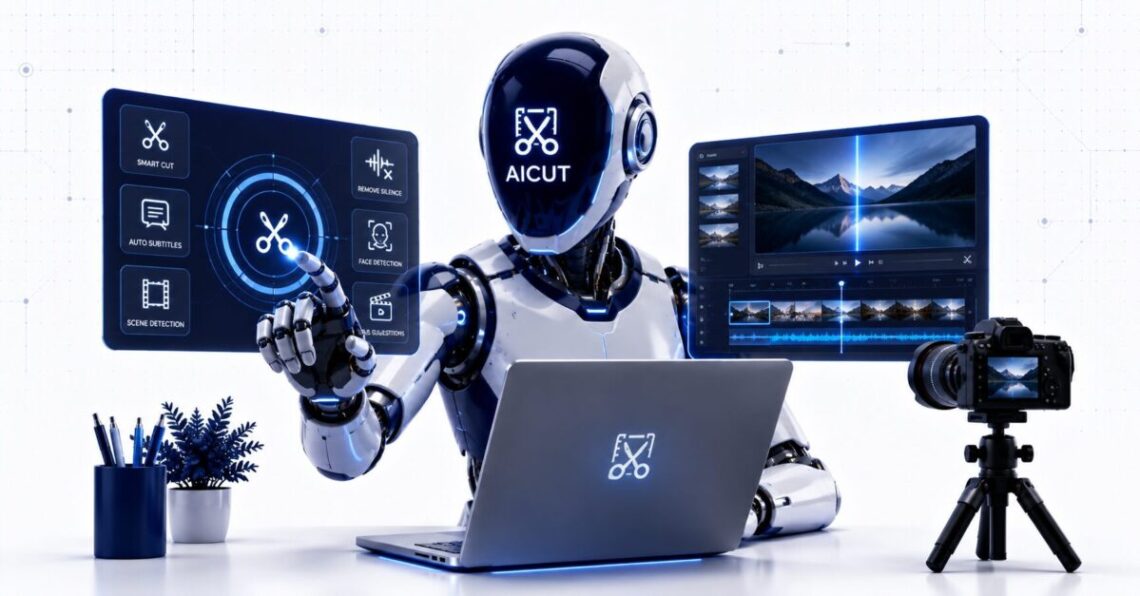
People searching for Aicot are usually looking for Aicut, the AI video creation platform available at Aicut.pro. “Aicot” is a common search variation, but the official product and company name is Aicut.
Aicut is a browser-based AI video generator built mainly for faceless YouTube Shorts, TikTok videos, and Instagram Reels. It combines AI-generated visuals, scripts, voiceovers, captions, short-video templates, social publishing, and automated posting campaigns in one platform. (AICUT)
Its strongest use case is producing repeatable short-form content without recording a presenter or manually editing every scene. The current toolset includes AI image stories, multi-scene video stories, fake text conversations, motion-controlled character animation, AI UGC videos, and direct publishing to major social platforms. (AICUT)
Aicut is worth considering for creators who want a structured faceless-video workflow rather than a general-purpose professional editor. It is less suitable for filmmakers, advanced editors, or brands that require precise timeline control and completely predictable visual consistency.
The platform currently offers a pay-as-you-go option, a Creator subscription, and an Automate plan. Creator costs $19.99 per month for 50 video tokens, while Automate costs $39.99 per month for 100 tokens and adds automated creation and posting campaigns. Annual billing lowers the advertised effective monthly prices. (AICUT)
This is a research-based review of the current official Aicut website and product pages. No test account or controlled generation results were supplied, so this article does not claim firsthand experience with output quality, rendering speed, prompt accuracy, or platform reliability.
Is Aicot the Same as Aicut?
Yes. In the context of AI video creation, searches for Aicot generally refer to Aicut.pro.
The official website consistently uses the spellings:
- Aicut
- AICUT
- Aicut.pro
It does not present “Aicot” as a separate product or company. The primary keyword is retained in this article because that is how some users search for the platform, but the correct brand spelling is Aicut.
Aicut GmbH is listed in the official imprint as a German company based in Bonn, represented by CEO Simon Both. (AICUT)
What Is Aicut?
Aicut is an AI video generator and social publishing platform designed around faceless short-form content.
The platform can combine a written idea with AI-generated scenes, narration, subtitles, music, transitions, and background footage. Users can then download the result or publish it to supported social networks. Aicut’s homepage currently promotes video creation for YouTube, TikTok, and Instagram. (AICUT)
Its focus differs from a conventional video editor.
Traditional editing software starts with footage and gives the editor detailed control over cuts, layers, audio, effects, and timing. Aicut begins with a story idea, prompt, article, format, or template and automates more of the production process.
The platform appears to be built for:
- Faceless YouTube channel owners
- TikTok and Instagram creators
- Social media managers
- Short-form storytellers
- Creators repurposing written content
- Small businesses making social videos
- Marketers creating AI UGC-style content
- Users who do not have advanced editing skills
Creators comparing it with a similar text-to-short-video product can read our Wava AI review. Wava also turns scripts or ideas into prepared short-form videos, although each platform has a different selection of templates and automation features.
How Aicut Works
The exact setup depends on the selected creation tool, but a typical Aicut workflow follows these steps:
- Create or sign in to an Aicut account.
- Choose a video format or creation tool.
- Enter a topic, story, script, article, or prompt.
- Select visual and caption styles.
- Choose a voiceover and other available settings.
- Generate the video.
- Review or edit the output.
- Download it or publish it to a connected social account.
- Set up an automated campaign when using a supported plan.
Aicut’s creation hub currently presents several generation methods rather than forcing every user into one template. These include story templates, AI video generation, continuous video, motion control, AI UGC, image stories, and fake text stories. (AICUT)
This range is useful because a dramatic image story requires a different workflow from a product demonstration or animated character clip.
Main Aicot and Aicut Features
Faceless AI Video Generation
Aicut’s core feature is generating short videos without requiring the creator to appear on camera.
The platform can assemble generated visuals, voice narration, captions, and background content into a social-ready video. It is designed for vertical content published as YouTube Shorts, TikToks, or Instagram Reels. (AICUT)
This can reduce the production work involved in:
- Recording a presenter
- Setting up lighting and cameras
- Finding individual stock clips
- Recording narration
- Creating subtitles manually
- Formatting a video for vertical platforms
The final result still needs human review. AI-generated visuals may contain inconsistent characters, incorrect text, distorted objects, or scenes that do not match the narration.
AI Image Story Videos
The Aicut AI Image Story creator converts written stories into short videos built from AI-generated images and narration.
The official page positions the tool for visual stories published on YouTube Shorts, TikTok, and Instagram. (AICUT)
This format can work for:
- Fictional stories
- Mystery content
- Relationship stories
- Motivational narratives
- Historical summaries
- Educational storytelling
- Horror or suspense clips
- Short episodic series
Image stories are easier to generate consistently than full-motion cinematic video because each scene can be created as a separate still image. The trade-off is that the result may feel more like an animated slideshow unless camera movement, pacing, captions, and sound design are handled well.
Multi-Scene AI Video Stories
Aicut’s AI Video Story creator is intended for more cinematic, multi-scene storytelling.
Users choose or create a story series, describe an episode, and let the system generate scene prompts. The current product page highlights consistent characters and episode-based creation. (AICUT)
This may be useful for creators trying to build a repeatable series rather than publishing unrelated one-off clips.
The practical limitation is cost. Aicut’s own current estimates say a complete multi-scene story may consume about 12.5 video tokens. A 50-token Creator allowance therefore supports roughly four full stories, while 100 Automate tokens support roughly eight. (AICUT)
Fake Text Story Videos
The fake text story generator produces chat-style videos that resemble message conversations.
Aicut markets this format for TikTok, Instagram, and YouTube Shorts, with AI handling the chat presentation and video assembly. (AICUT)
These videos are commonly used for:
- Fictional relationship conversations
- Comedy
- Confessions
- Mystery stories
- Workplace scenarios
- Customer service stories
- “What would you do?” narratives
Creators should make it clear when conversations are fictional. Fabricated messages should not be presented as authentic communications from identifiable people or businesses.
AI Motion Control
Aicut’s AI Motion Control tool uses supported Kling models to transfer or guide character movement.
The current official pages name Kling 2.6 and Kling 3.0 and describe the feature as a way to animate a static character using more controlled movement. (AICUT)
A related dance-video workflow can make a character follow dance movement from a reference. This is useful for creators who need a particular action instead of random image-to-video motion.
Motion transfer does not guarantee perfect preservation of:
- Facial identity
- Clothing
- Hands
- Body proportions
- Products
- Background objects
- Logos
- Fine details
Reference footage and character images should only be used when the creator has the necessary rights and consent.
AI UGC Product Videos
Aicut includes AI UGC-oriented tools for creating presenter-style or influencer-style product content.
The platform’s current guides describe workflows in which an AI character can hold or demonstrate a product. Motion control can also transfer movement from reference footage to a generated character. (AICUT)
This can help brands create:
- Product hooks
- Short demonstrations
- Social ad concepts
- TikTok Shop content
- Testimonial-style creative
- Multiple ad variations
AI UGC should not be presented as a real customer testimonial when no real customer gave the statement. Brands should distinguish generated promotional content from authentic user reviews.
For a broader visual platform offering image-to-video, avatars, and related tools, see our A2E AI review.
Voiceovers and Captions
Aicut’s website says its plans provide access to AI video tools, voiceovers, caption styles, and publishing features. (AICUT)
Voiceovers allow creators to produce narrated content without recording their own voice. Automatic captions are particularly important for short-form platforms, where many viewers watch with muted audio.
Before publishing, review:
- Pronunciation
- Names
- Numbers
- Pauses
- Caption timing
- Spelling
- Sentence breaks
- Emotional delivery
An AI voice can read a script correctly while still sounding mismatched to the story’s tone.
Uploading Your Own Background Footage
Aicut supports workflows that allow users to upload their own background video rather than relying entirely on generated assets.
This gives creators more control and can help maintain a consistent style across multiple uploads. The capability is also listed in current descriptions of Aicut’s free and paid tool access. (AICUT)
Using original footage can reduce the visual randomness found in fully generated videos. The creator still needs the rights to any uploaded footage, music, logos, or other protected content.
Social Publishing and Automation
Aicut supports publishing to:
- YouTube
- TikTok
The platform’s current auto-posting documentation says users can connect their accounts, select a content series and schedule, and have Aicut generate and publish videos to YouTube Shorts, TikTok, and Instagram Reels. (AICUT)
There are two different levels of automation to understand.
Direct or One-Click Publishing
A creator can generate a video and publish it through the connected social account rather than downloading and uploading it manually.
This can reduce repetitive platform switching.
Automated Campaigns
The Automate plan supports campaigns that create and post content according to a schedule.
Aicut says users can create multiple campaigns, with each campaign capable of generating and posting one video per day. (AICUT)
This is the platform’s most distinctive feature for faceless-channel operators. It changes Aicut from a video generator into a recurring content system.
But automated posting also creates risk.
A workflow can repeatedly publish:
- Incorrect facts
- Weak visual generations
- Repetitive scripts
- Copyrighted material
- Broken captions
- Off-brand content
- Platform-policy violations
A safer process is to generate content automatically but require approval before publication, at least until the campaign has produced consistently acceptable results.
Aicut Pricing
Aicut uses video tokens rather than unlimited generation.
| Plan | Current Price | Included Tokens | Main Use |
|---|---|---|---|
| Pay as you go | $0 subscription | Tokens cost about $0.60 each | Trying individual generations |
| Creator | $19.99 monthly | 50 per month | Regular manual video creation |
| Creator annual | $149.99 yearly, about $12.50 monthly | 50 per month | Lower-cost annual Creator access |
| Automate | $39.99 monthly | 100 per month | Automated video campaigns |
| Automate annual | $299.99 yearly, about $25 monthly | 100 per month | Lower-cost annual automation |
These prices were published by Aicut in July 2026. Plans, token allowances, and annual discounts can change, so confirm the live checkout before paying. (AICUT)
What Does One Aicut Token Create?
Token use varies by creation format.
Aicut’s current estimates indicate:
- 50 tokens can create approximately four full AI video stories.
- The same 50 tokens can create around 33 shorter AI clips.
- 100 tokens can create approximately eight complete stories.
- The same 100 tokens can create around 66 short clips. (AICUT)
These numbers are estimates, not guaranteed output counts. A more complex format may consume more tokens than a simple short clip.
Before choosing a plan, calculate how many videos you realistically need.
A Creator plan may be enough for someone publishing three to five times per week. A user operating several daily campaigns may need Automate plus additional tokens.
Is Aicut Free?
Aicut has a free account or pay-as-you-go option, but it should not be confused with unlimited free generation.
The current official pricing information lists token purchases at approximately $0.60 each without requiring a monthly subscription. (AICUT)
This is useful for evaluating the workflow before committing to a subscription.
Test the exact format you intend to publish. A fake text story, multi-scene cinematic video, AI UGC clip, and motion-controlled animation may provide very different value per token.
Aicut Output Quality
Aicut presents examples through its public AI video gallery and individual creation pages. The gallery includes generated vertical clips and identifies some of the underlying models used for creation. (AICUT)
Public examples demonstrate what the platform can produce under favorable conditions. They do not show:
- Failed generations
- Average rendering time
- The number of attempts required
- Prompt adherence across repeated tests
- Character consistency across long series
- Error rates
- Moderation failures
- Average editing time after generation
Without controlled testing, it would be misleading to declare that Aicut produces better visual quality than Pika, Runway, GoEnhance, or another AI video platform.
Based on the verified feature set, Aicut’s practical advantage is workflow integration rather than proof of superior model quality. It combines specialized formats, video assembly, captions, narration, and social posting.
For users more interested in experimental image-to-video and video transformation, our GoEnhance AI review covers a broader generative-video workspace. Our Pika AI review examines a creator-focused short-video alternative.
Ease of Use
Aicut is positioned as a tool for people without professional editing experience. Its creation pages emphasize selecting a format, adding the idea or source content, choosing styles, and allowing the system to generate the video. (AICUT)
That is simpler than manually building every short in Premiere Pro, DaVinci Resolve, or After Effects.
However, ease of generation and ease of publishing successful content are not the same thing.
The creator still needs to make decisions about:
- Topic selection
- Originality
- Story structure
- Opening hook
- Voice
- Visual continuity
- Caption readability
- Copyright
- Platform rules
- Publishing frequency
- Audience feedback
Aicut can reduce editing work. It cannot guarantee views, followers, revenue, or viral distribution.
Privacy and Account Connections
Aicut publishes a privacy policy, terms of service, Google API disclosure, and separate refund policy on its website.
The privacy information states that Google APIs may be used when a person signs in with Google or connects supported Google services. The site also references TikTok-related terms because users may connect social accounts for publishing. (AICUT)
Connecting YouTube, TikTok, or Instagram gives the service permission to perform specific actions on the user’s behalf. Before authorizing access, check:
- Which account is being connected
- Which permissions are requested
- Whether the service can publish content
- How access can be revoked
- Whether account data is retained
- What happens after account deletion
- Whether third-party generation providers process uploads
Avoid connecting a business-critical channel until the workflow has been tested on a separate or low-risk account.
Users should also read the current Aicut privacy policy, terms of service, and refund policy before purchasing tokens or uploading sensitive assets.
Commercial and Copyright Considerations
AI video tools do not remove the user’s responsibility to respect copyright, privacy, publicity, trademark, and platform rules.
Before publishing, confirm that you have permission to use:
- Uploaded background footage
- Reference videos
- Character images
- Product images
- Music
- Logos
- Screenshots
- Private conversations
- Celebrity likenesses
- Customer testimonials
Aicut’s own content guidance reminds creators to respect copyright and use material that is licensed, public domain, or otherwise permitted. (AICUT)
This is particularly important for faceless clipping channels. Taking someone else’s podcast, film, livestream, or social video and adding subtitles does not automatically make the result legally reusable.
Creators should also follow the current monetization and reused-content rules of YouTube, TikTok, and Instagram. Generating videos automatically does not guarantee that a platform will approve a channel for monetization.
Aicut Strengths
- Focused specifically on faceless short-form content
- Offers several specialized story formats
- Includes AI voiceovers and captions
- Supports fake text and AI image stories
- Provides multi-scene story generation
- Includes AI UGC-oriented tools
- Supports motion-controlled character animation
- Allows direct social publishing
- Supports automated daily campaigns
- Covers YouTube, TikTok, and Instagram
- Offers pay-as-you-go token access
- Does not require professional editing skills
- Lets users upload their own background footage
Aicut Limitations
- Generation is token-based rather than unlimited
- Full story videos can consume a substantial part of a monthly allowance
- Automated posting can publish weak content without review
- AI-generated characters and scenes may be inconsistent
- It is not a full professional timeline editor
- Advanced manual editing controls appear more limited than specialist software
- Viral performance is never guaranteed
- Automated content can become repetitive
- Platform policies may affect monetization
- Social account connections require privacy and permission review
- Independent customer-review evidence is currently limited
The last point deserves context. Trustpilot showed only two public Aicut reviews during this research. That sample is too small to support a reliable conclusion about overall customer satisfaction. (Trustpilot)
Who Should Use Aicot or Aicut?
Aicut is a reasonable fit for:
- Beginners starting a faceless channel
- Creators publishing visual stories
- Users making fake chat or message videos
- YouTubers who need recurring Shorts
- TikTok creators working with repeatable formats
- Social media managers handling multiple channels
- Marketers experimenting with AI UGC
- Creators repurposing written ideas into video
- Users who value automation more than detailed editing
The Automate plan makes the most sense when a creator has already validated a format and wants to publish it consistently.
Do not begin with several fully automated campaigns. First confirm that one series can produce acceptable scripts, visuals, captions, and viewer response.
Who Should Skip Aicut?
Aicut may not be the right choice if you:
- Need detailed timeline editing
- Produce long-form documentary or commercial videos
- Require frame-perfect visual consistency
- Need exact control over every scene
- Want unlimited generation at a fixed price
- Depend on copyrighted clips from other creators
- Cannot review automated uploads
- Need a large body of independent performance reviews
- Expect AI to guarantee channel growth
- Already have a mature editing and scheduling workflow
A traditional editor or a broader video-generation platform may offer more control, although it will usually require more manual work.
Aicut Alternatives
Wava AI
Wava AI is another browser-based tool for turning written ideas or scripts into short-form videos.
It is relevant for creators whose main goal is quickly generating prepared TikTok, Instagram, or YouTube content. Read our complete Wava AI review for details.
Pika
Pika focuses more heavily on generative short clips, effects, and image animation.
It may suit creators who care more about experimenting with individual visual generations than running automated faceless channels. See our Pika AI review.
GoEnhance AI
GoEnhance combines image and video generation, restyling, enhancement, motion, avatars, and access to multiple generative models.
It is broader than Aicut but less centered on scheduled faceless-channel automation. Read our GoEnhance AI review.
A2E AI
A2E AI provides image-to-video, avatars, lip-syncing, face tools, and related generation features.
It may be more appropriate when avatars and general visual experimentation matter more than story templates and social auto-posting. See our A2E AI review.
Frequently Asked Questions
Is Aicot the Correct Name?
The official product is called Aicut or AICUT. Aicot appears to be a common search spelling for the same platform.
Can Aicut Create YouTube Shorts?
Yes. Aicut is designed to create vertical faceless videos for YouTube Shorts, TikTok, and Instagram Reels. It can also publish to connected social accounts. (AICUT)
Does Aicut Automatically Post Videos?
Yes. Aicut supports social publishing, while the Automate plan includes recurring campaigns that generate and post videos on a schedule. (AICUT)
How Much Does Aicut Cost?
Creator costs $19.99 per month with 50 tokens. Automate costs $39.99 per month with 100 tokens. A pay-as-you-go option costs approximately $0.60 per token, and discounted annual billing is available. (AICUT)
Can Aicut Guarantee Viral Videos?
No. Aicut can automate production and publishing, but views depend on the idea, hook, originality, retention, audience fit, competition, platform policies, and distribution.
Final Verdict
The Aicot keyword leads to a real product, but its correct name is Aicut.
Aicut is a specialized AI video generator for creators who want to build faceless short-form channels. Its main value comes from combining formats such as AI image stories, multi-scene videos, fake text conversations, voiceovers, captions, motion control, AI UGC, and social publishing in one platform. (AICUT)
Its Automate plan goes further by generating and posting scheduled content to YouTube, TikTok, and Instagram. That makes Aicut more operationally complete than an AI video model that only returns a downloadable clip. (AICUT)
The token system is the main cost consideration. A complete story can use about 12.5 tokens, so the monthly allowance may disappear quickly when a creator produces complex videos. Short clips provide more output per token. (AICUT)
Aicut is worth testing through the pay-as-you-go option before purchasing an annual plan. Generate the exact format you intend to publish, check its visual consistency and editing requirements, and test social connections without giving the platform control over a critical channel immediately.
For creators who have already validated a repeatable faceless-video format, Aicut’s automation may save meaningful production work.
For creators who need advanced editing, long-form video, exact creative control, or guaranteed output consistency, it should be treated as a supporting generation tool rather than a complete video-production replacement.