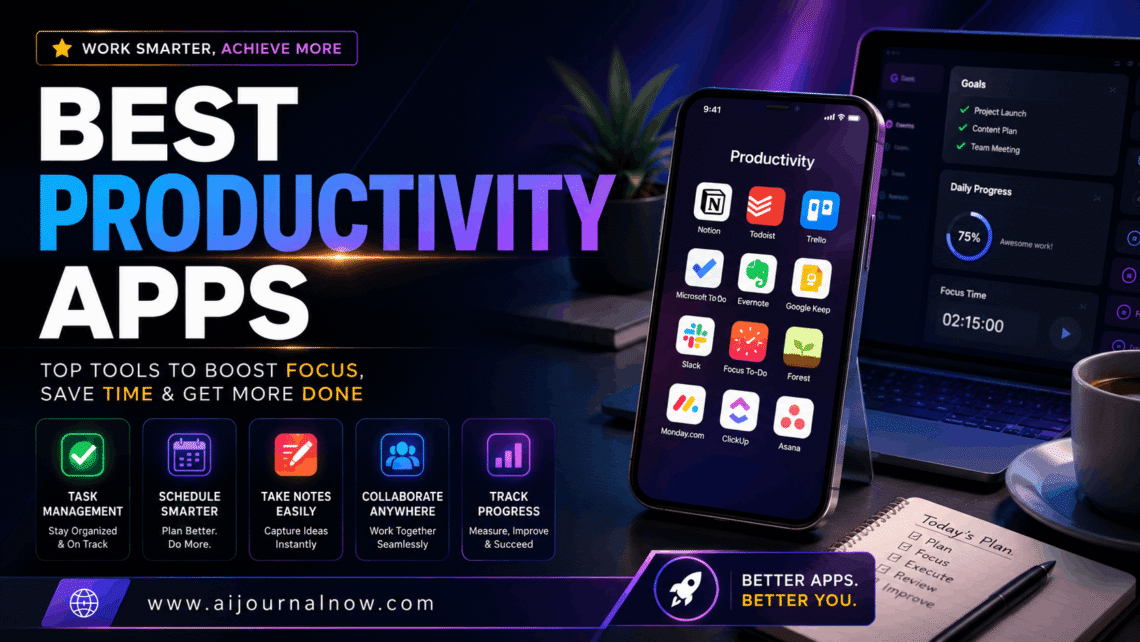
Most people don’t have a time problem—they have a focus problem, and that’s exactly why the best productivity apps have become such a staple on millions of phones and laptops. Between constant notifications, overflowing inboxes, and to-do lists that somehow grow faster than they shrink, getting through a meaningful workday without the right tools feels like swimming upstream. The good news is that a handful of well-chosen apps can genuinely change how much you accomplish—not by working longer, but by working with more intention.
This guide covers what the best productivity apps actually are, how they work, who benefits most from them, and what their real limitations look like when the honeymoon phase wears off.
What Are the Best Productivity Apps, Really?
The term gets thrown around loosely, so it’s worth being specific. The best productivity apps are tools designed to help you plan, organize, execute, and track your work more efficiently. They range from simple to-do list managers to full project management platforms, from distraction blockers to AI writing assistants.
What separates a genuinely useful productivity app from a fancy procrastination tool is whether it actually reduces friction in your workflow—or adds more steps to an already complicated day. A great app fits into how you already think and work. A bad one makes you feel like you need to maintain the app itself as a second job.
Best Productivity Apps for Task Management
Task management is where most people start, and for good reason. When your work lives in your head, it’s exhausting. Getting it out into a reliable system frees up mental bandwidth for actual thinking.
Todoist
Todoist is consistently ranked among the best productivity apps for managing daily tasks, and it earns that reputation. The interface is clean, the natural language input is fast (“submit report every Friday” works exactly as you’d expect), and the priority levels actually help you decide what to tackle first. The free tier is generous enough for personal use, and the premium plan adds reminders, labels, and filters for around $4/month.
It works especially well for freelancers and students who need a lightweight system that doesn’t require a weekend to set up.
Notion
Notion is a different beast entirely. It’s a flexible workspace where you can build task lists, databases, wikis, project trackers, and content calendars—all in one place. Bloggers and content teams particularly love it because you can link tasks to content drafts, track deadlines, and keep reference notes in the same environment.
The learning curve is steeper than Todoist, but for anyone managing multiple projects or working with a team, Notion earns its place among the best productivity apps hands down.
Best Productivity Apps for Focus and Deep Work
Getting into deep, uninterrupted work is harder than it sounds when your phone is sitting nearby. Focus apps exist specifically to solve this problem.
Forest
Forest is a simple but surprisingly effective app. You set a timer, plant a virtual tree, and if you leave the app to check social media, the tree dies. It sounds almost too simple to work—but the visual feedback creates a small psychological commitment that a lot of people find genuinely helpful. It’s especially popular among students and people working in Pomodoro-style sprints.
Freedom
For people who need heavier intervention, Freedom blocks distracting websites and apps across all your devices simultaneously. You schedule focus sessions in advance, and once they start, there’s no easy override. Marketers, writers, and remote workers who struggle with social media during work hours consistently mention Freedom as one of the best productivity apps they’ve ever paid for. At around $3.33/month, it’s a modest investment for what it solves.
Best Productivity Apps for Note-Taking and Knowledge Management
Ideas are useless if you can’t find them later. Good note-taking apps don’t just store information—they help you connect ideas and retrieve them when it matters.
Obsidian
Obsidian has developed a devoted following among researchers, writers, and knowledge workers. Notes are stored as plain markdown files on your own device (no vendor lock-in), and the app lets you link notes together in a visual graph. Over time, you build a personal knowledge base where ideas connect across topics. It’s free for personal use and regularly makes lists of the best productivity apps for serious thinkers and lifelong learners.
Google Keep
On the simpler end, Google Keep handles quick captures beautifully. Voice notes, image annotations, checklists, and color-coded cards sync instantly across devices. It’s not a deep knowledge management tool, but for capturing ideas on the go and staying organized without overhead, it’s hard to beat — especially since it’s completely free.
Best Productivity Apps for Teams and Collaboration
Individual productivity matters, but most work happens in teams. The right collaboration app eliminates the chaos of scattered email threads and missed updates.
Slack
Slack remains one of the best productivity apps for team communication. Organized channels, direct messages, file sharing, and integrations with tools like Google Drive and Trello keep conversations contextual rather than buried in inboxes. Small teams use the free tier effectively; larger organizations benefit from the paid plans that include longer message history and more integrations.
Trello
For visual thinkers, Trello’s board-and-card system makes project tracking intuitive. Each card represents a task; boards represent projects; lists represent stages. Dragging a card from “In Progress” to “Done” gives a satisfying sense of forward movement. Trello is particularly popular among small business owners and marketing teams managing campaign workflows. It’s one of those best productivity apps that takes about ten minutes to learn and genuinely sticks.
Honest Limitations Worth Knowing
No article about the best productivity apps should skip this part. These tools have real drawbacks that depend heavily on how you use them.
App switching kills momentum. Using five different productivity apps that don’t talk to each other creates its own friction. You spend time maintaining systems instead of doing actual work. The fix is to start with one or two apps and only add more when you’ve hit a clear limitation.
Free tiers have real ceilings. Notion’s free plan limits block storage. Todoist’s free version lacks reminders. Slack Free erases message history after 90 days. These constraints matter more as your work scales. Budget for the tools you rely on most.
No app fixes unclear priorities. This is the most honest limitation of all. If you don’t know what your most important work is, no task manager will figure that out for you. The best productivity apps organize and execute—but the thinking still has to come from you.
Notification fatigue is real. Ironically, productivity apps often become a source of distraction themselves. Turning off non-essential notifications within these apps is almost always worth doing on day one.
How to Actually Choose the Right Apps for You
The honest approach is to match apps to your specific pain points rather than chasing whatever’s trending. Ask yourself: where does your day actually break down? If it’s forgetting tasks, start with Todoist. If it’s distraction, try Freedom or Forest. If it’s losing track of teamwork, look at Trello or Slack.
Start with one app. Use it for three weeks before adding another. The best productivity apps only work when you actually use them consistently—and consistency comes from simplicity, not from having the most elaborate setup in the room.
Productivity isn’t about doing more things. It’s about doing the right things without wasting energy on the wrong ones. The tools in this guide won’t do the work for you—but they’ll make sure less of your day disappears without anything to show for it.
Frequently Asked Questions
Q1: Are the best productivity apps free to use? Many of the best productivity apps offer solid free tiers—Todoist, Trello, Notion, Google Keep, and Obsidian all have usable free versions. However, most serious users eventually find value in paid plans, which unlock features like reminders, integrations, and larger storage. Most paid plans range from $3 to $15 per month.
Q2: Which productivity app is best for students? Todoist works well for assignment tracking and deadlines. Notion is excellent for organizing notes, research, and project planning across subjects. Forest helps with study sessions. Combining two of these covers most of what students need without overcomplicating things.
Q3: Can the best productivity apps work for small business owners? Absolutely. Trello and Notion handle project management well for small teams. Slack keeps communication organized. The best productivity apps scale from solo freelancers to teams of 20–30 people without requiring expensive enterprise software.
Q4: How many productivity apps should I actually use? Fewer than you think. Most productivity experts suggest limiting yourself to three core apps: one for tasks, one for notes, and one for communication or collaboration. The best productivity apps are the ones you actually open every day—not the ones with the most features sitting unused on your home screen.
Also Read: WebCric: Free Live Cricket Streaming Guide for Fans