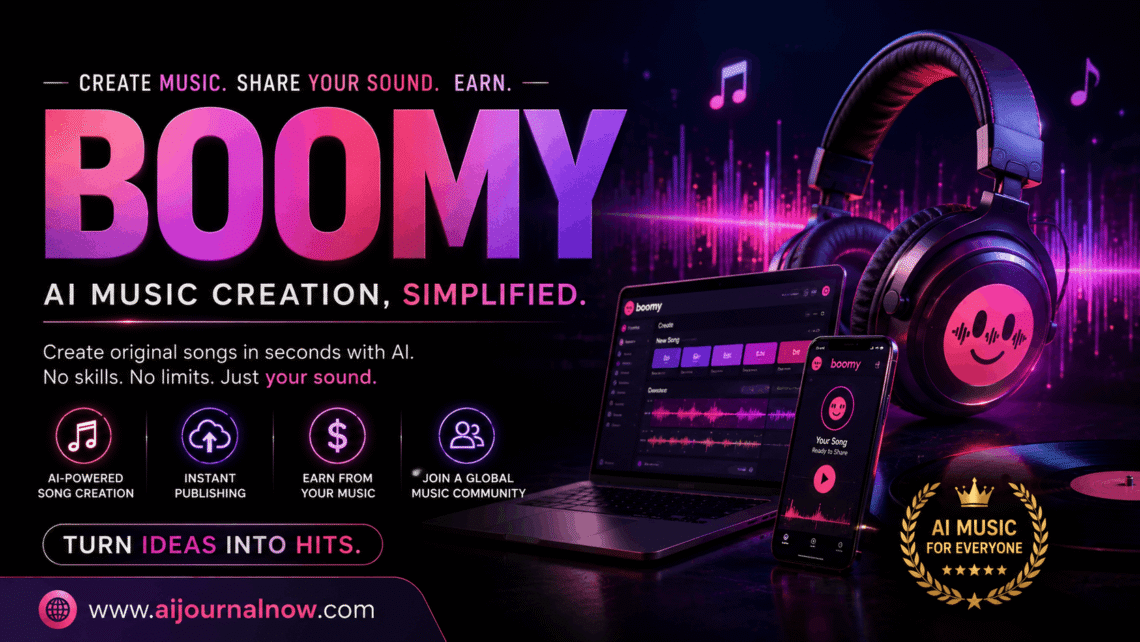
Boomy is one of the most accessible AI music creation systems out there right now, and if you’ve never written a song in your life, that’s the purpose. Boomy makes the answer surprisingly easy to uncover. Whether you want background music for a YouTube video, a custom tune for a podcast intro, or you’re just curious if AI can genuinely create something worth listening to, this essay guides you through everything.
This essay guides you through everything. What is boomy, and how does it work? who is it built for? and where does it not meet expectations? No music theory necessary.
What is Boomy
Boomy is an AI music generator that works in your browser and lets anyone make original songs in seconds – no instruments, no DAW, and no music degree necessary. You pick a style, hit a button, and the platform’s algorithms write a whole song from scratch.
Established in 2019 by Alex Mitchell and Matthew Cohen Santorelli with one simple goal: make music creation accessible to everyone. As of early 2023, people had made about 20 million songs on the platform. It’s a number that keeps increasing.
Boomy is not just different because of the AI generation; it’s the complete pipeline. Create a tune, perform some editing and submit immediately to streaming services like Spotify, Apple Music, TikTok and YouTube Music from the same interface. That combination of invention and dissemination is difficult to come by, especially at this price point.
How does Boomy work? The process in detail
boomy is Very easy to use. Here’s how it works:
Step 1 — Select a style. Boomy has over 15 genre selections, from Lo-Fi, EDM, Hip-Hop, Ambient, Pop and many other experimental types. There’s also a “Custom” mode that lets you modify the composition parameters yourself.
Step 2 — Create the mood. You can steer the AI in each genre by selecting emotional directions – think energetic, chill, sad, or upbeat. This gives a tighter feeling to the output.
Step 3 – Generate. Click once, and the AI writes a complete song – intro, verses, transitions, and outro. Whole thing takes a minute or so to do.
Step 4 — Edit if needed. You can exchange instruments, change the tempo and key, change the structure, and add vocals with Boomy’s editing tools. You may also add lyrics to the tune by uploading your own voice recording or using the auto-vocal feature.
Step 5 — Save or Release From there you can save the track to your library or send it to streaming services directly. Boomy distributes it, and you get income when people stream your song.
It’s a whole circle, from idea to published song, all without leaving the browser.”
Boomy for Creators: Use Cases in the Real World
Boomy isn’t just a toy for the curious explorer. People reach for it for actual, physical reasons.
Content creators likely get the most daily value out of Boomy. I’m always in need of music for my films, reels, podcast episodes, online courses, and more. The cost and complexity of buying stock music might be daunting. With Boomy, you can create something original that you can use without fear of copyright strikes.
Boomy may be used by bloggers and marketers who are getting into video content (which is pretty much everyone at this stage) to create intro jingles, brand soundscapes or audio beds for advertising without having to hire a composer.
Now, freelancers producing client deliverables such as explainer films, social media content or digital marketing packages may add bespoke audio to their work without any additional production expertise.
For aspiring musicians with ideas but no producing background, boomy is a place to start. Build a structure, export it and build on it in another tool. It’s quicker than starting from scratch.
Students creating projects for cinema, class presentations or creative portfolios can make royalty-free unique music in no time – no more endless searching through free music sources.
Boomy Pricing: Free and Paid Plans
Boomy does offer a free subscription that allows you access to the core creation feature and a limited number of song saves. You just need to browse the platform and check out what it has to offer.
Paid plans start at $9.99/month. With an upgrade, you’ll have access to more song saves, larger release allocations for streaming distribution, and more customisable choices. If you want to release music often or use boomy for professional purposes, the premium tier is the way to go.
If you are making tracks often, pricing is affordable compared to employing a composer or licensing background music through subscription libraries.
What Boomy Gets Right
If you actually use boomy day to day, a couple things jump out.
Speed is the obvious one. From opening the page to finishing the track takes under two minutes. That is not an exaggeration. That speed is a significant boon for anyone working to a deadline or iterating through information fast.
The learning curve is almost flat. No need to study music production techniques to obtain results. The UI is tidy, the processes are straightforward and you may make something listenable on your first session.
Built-in distribution. Most AI music tools end at the generation stage. Boomy takes it all the way to publishing, which removes a big hurdle for creators who truly want to put music out instead of just fiddling with it.
Solid Style Range. Fifteen or more genres with mood edits deliver enough variation for most content demands without every track sounding the same.
The Truth About It’s Limitations
No tool is without trade-offs, and boomy has a couple worth understanding about.
The music is emotionally weak. Fair enough. That’s the criticism I see most. AI music can be proficient but dull or generic. That’s usually OK for background audio. For music that needs to be emotionally impactful – such as a film score or a personal project with meaning – it might not be enough.
Editing tools are rudimentary. Boomy is neither Ableton nor Logic Pro. If you need fine control over single elements, compression settings or sophisticated arrangement structures, you will hit its limits rapidly. It’s a generator and light editing tool, not a full-on production suite.
Royalty and IP questions are complex. Some users have observed anomalies in royalty payments through streaming providers. The legal landscape around intellectual property for AI-generated music is still developing, which creates some ambiguity for anyone trying to build a meaningful publishing plan on top of Boomy.
The free plan has very restrictive restrictions. You can explore the tool freely, but the save and release constraints on the free tier mean you’ll hit a wall rapidly if you want to do anything important with the output.
Is Boomy Worth It?
It really depends on what you want to do. If you want a cheap, rapid solution to make original music to accompany content, marketing, or personal projects — and you don’t want the music to have the emotional weight of a hand-crafted song — boomy delivers on the promise.
If you are a professional musician or producer seeking a real creative tool, you’ll probably find it too limiting. But for the content creator, the freelancer or the interested newcomer, it removes a real barrier that stands between an idea and a finalised audio output.
The streaming distribution option alone makes this worth a look. It’s a rare combo for a tool at this price to be able to publish unique AI music under your own name and make royalties from it.
Frequently Asked Questions
Do I need to know music to utilise Boomy?
No. Boomy is meant for those without music backgrounds. You select a genre and mood, click produce, and the AI composes. No technical expertise necessary for a working track.
Can I actually earn money with Boomy?
Yes, theoretically. Boomy helps you publish tunes to Spotify, Apple Music, TikTok and more, and you make royalties when people stream your music. But your money is solely based on how many times your music gets played, and the income from streaming is normally on the low end unless you have a significant fanbase.
Is the music I create on Boomy copyright-free?
Boomy gives you rights to use and release the music you make, but the legal landscape for intellectual property in AI-generated music is still being sorted out. Before you establish a commercial music portfolio on Boomy, it’s a wise idea to read their current terms of service.
How does Boomy differ from other AI music tools?
Boomy’s big benefit is the whole pipeline – generation, editing and dissemination all at one spot. Tools like Suno or Udio might give more expressive or detailed audio, but they don’t have the same built-in route to streaming platforms as boomy has.
Genres Supported by Boomy
Boomy has over 15 styles supported, including Lo-Fi, EDM, Hip-Hop, Ambient, Pop, Global and experimental genres. Each style has mood parameters you can adjust to help further guide the result.
Also Read: Spotify Vs Apple Music: Which One Is Right for You?


