Writesonic review time—because I’ve been testing this tool for content creation lately. And honestly, it surprised me in a few good ways. If you’re curious whether it fits your workflow, let’s break it down.
What Exactly Is Writesonic?
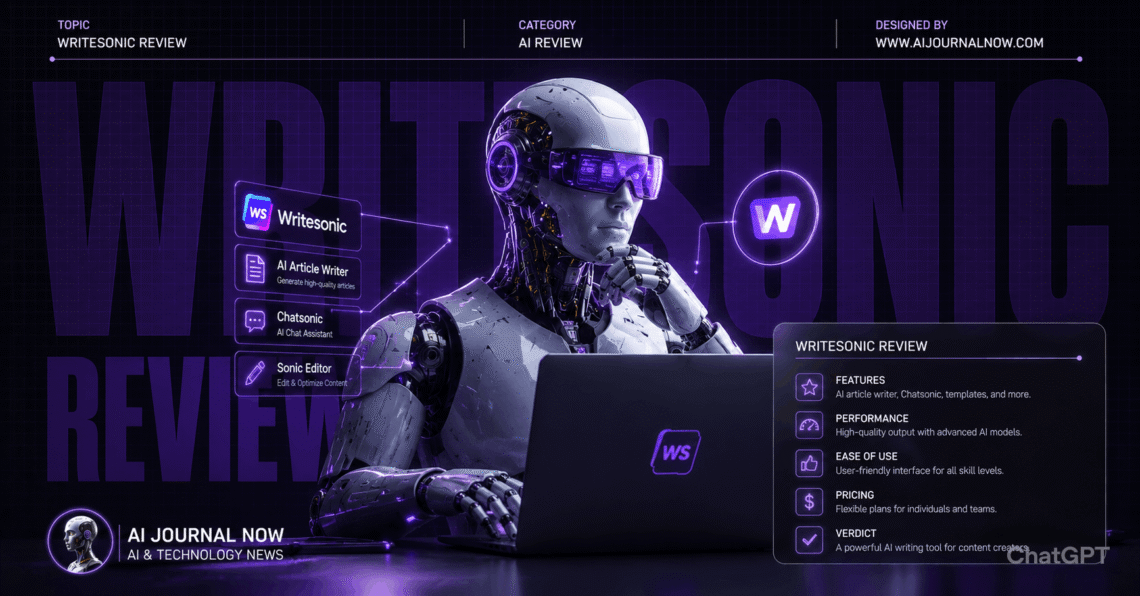
Writesonic is an AI writing and content platform. It generates blog posts, ads, product descriptions, and more. There’s also an AI chatbot called Chatsonic built in.
The platform targets content marketers and small businesses mainly. Pricing tends to be lower than some competitors. That makes it appealing for budget-conscious teams.
Beyond writing, Writesonic includes SEO tools now. Article writer features integrate keyword research directly. It’s positioned as an all-in-one content solution.
My First Impressions Using It
I started with the blog post generator. I gave it a topic and target keyword. The draft came back surprisingly structured.
Headings were logical, and content flowed reasonably well. Not perfect, but a solid starting point. Definitely better than basic templates I’d tried before.
In my experience, Writesonic works best as a first-draft tool. You’ll still need editing for polish. But the time savings are real for repetitive content.
How Writesonic Actually Works
You start by choosing a tool from their library. Options include blog writer, ad copy, and product descriptions. Each tool has specific input fields.
For the article writer, you input a topic and keywords. Writesonic can also pull SERP data automatically. This helps structure content around what’s already ranking.
The platform uses GPT-based models for generation. You can choose between different model versions. Higher tiers unlock more advanced models.
Chatsonic functions like a general AI chatbot. It can browse the web for current information. Useful for research alongside content creation.
Writesonic review: Testing the Article Writer
I tested the article writer for a blog post. I input a keyword and let it analyze competitors. The tool suggested an outline based on top-ranking pages.
The generated draft followed that outline closely. Word count hit my target almost exactly. Headings included the keyword naturally throughout.
Compared to basic AI writers, this felt more strategic. The SEO research step added real value. I wasn’t just getting generic content.
But fact-checking remained necessary, as always. Some statistics needed verification before publishing. Standard practice with any AI-generated content honestly.
Pricing and Plans Breakdown
Writesonic offers a free trial with limited credits. This lets you test most features first. Good for evaluating before committing financially.
Paid plans start around $19 monthly for individuals. This is noticeably cheaper than many competitors. The business plan adds more credits and features.
Enterprise plans exist for larger teams. These include custom integrations and dedicated support. Pricing requires contacting sales for specifics.
Compared to Jasper or Copy.ai, pricing is generally lower. This makes Writesonic attractive for smaller budgets.
Writesonic review: Comparing It to Jasper and Copy.ai
Let’s talk alternatives, because options matter here. Each tool has different strengths worth knowing.
Jasper focuses heavily on brand voice consistency. Writesonic feels more SEO-focused by comparison. Different priorities for different content needs.
Copy.ai emphasizes workflow automation lately. Writesonic keeps things simpler and more direct. Less learning curve for quick tasks.
For budget-conscious solo creators, Writesonic often wins. The lower price point with solid features helps. Larger teams might need more advanced collaboration tools, though.
SEO Integration and Research Tools
The SERP analysis feature stood out during testing. It pulls data from top-ranking pages automatically. This informs content structure and keyword usage.
I compared this to manually using Ahrefs for research. Writesonic’s built-in version felt less detailed. But it’s convenient for quick content planning.
For serious SEO campaigns, dedicated tools still help. Writesonic’s integration works fine for basic optimization. Don’t expect enterprise-level SEO analysis, though.
Real-World Use Cases I’ve Tried
Let me share some actual projects. These are tasks I completed during testing.
Scenario 1: Blog post creation. I needed a 1500-word article on a niche topic. Writesonic generated a structured draft quickly. Editing took about 30 minutes total.
Scenario 2: Product descriptions. I had twenty products needing descriptions. Writesonic generated unique copy for each. Saved hours compared to writing manually.
Scenario 3: Facebook ad copy. I needed several ad variations for testing. The tool generated diverse angles quickly. A few performed well in actual campaigns.
Scenario 4: Chatsonic for research. I used Chatsonic to research current trends. It pulled recent information accurately. Helpful for time-sensitive content topics.
Writesonic Review: Pros and Cons After Testing
Here’s my honest breakdown after extensive use. No exaggeration, just real findings.
Pros:
- Affordable pricing compared to competitors
- Built-in SEO research tools
- Chatsonic adds versatility beyond writing
- Good for repetitive content tasks
- Decent first-draft quality overall
Cons:
- Editing still required for polish
- SEO tools less detailed than dedicated platforms
- Brand voice features less developed
- The interface can feel cluttered sometimes
I’ve noticed Writesonic works best for high-volume content needs. Product descriptions, ad variations, quick blog drafts—all solid use cases. Complex, nuanced writing still benefits from human touch.
Who Should Actually Use Writesonic?
This depends on your specific situation. Let me break it down simply.
If you’re a solo creator or small business, it’s a good fit. The pricing makes sense for limited budgets. SEO tools add value without extra cost.
If you need heavy brand voice customization, look elsewhere. Jasper’s brand features are more developed. Writesonic prioritizes affordability over deep customization.
If you produce high volumes of similar content, this helps. Product descriptions, ads, and quick articles work well. The time savings add up significantly.
Writesonic Review: Tips for Better Results
After testing extensively, I’ve picked up some tricks. Specific prompts matter more than you’d think.
Instead of generic topics, include target audience details. “Blog post for beginner gardeners” works better than “gardening blog.” Context improves relevance significantly.
For the article writer, review the SERP analysis first. Understanding what’s ranking helps you guide the output. Don’t just accept the first draft blindly.
Writesonic Review: Frequently Asked Questions
Is Writesonic good for beginners?
Yes, the interface is fairly straightforward. Templates guide your first projects well. Expect some experimentation initially.
Can Writesonic replace a content writer?
Not entirely, in my experience. It speeds up drafting significantly. But editing and strategy still need humans.
How does Writesonic compare to ChatGPT?
For general tasks, ChatGPT offers more flexibility. For SEO-focused content, Writesonic’s tools add value. Depends on your specific priorities.
Does Writesonic support multiple languages?
Yes, Writesonic supports numerous languages currently. Quality varies slightly by language. English remains the strongest overall.
Final Thoughts on This Writesonic Review
So, is Writesonic worth it? For budget-conscious creators, yes.
The pricing genuinely stands out compared to competitors. SEO integration adds practical value for content planning. And Chatsonic provides useful versatility beyond writing.
But don’t expect perfect, publish-ready content immediately. Editing remains part of the process always. Treat it as an efficient first-draft tool.
If you produce regular content on a budget, try it. Start with the free trial first. Test it against your actual content needs.
For the latest features and pricing updates, check Writesonic’s official site. This space evolves quickly, so stay current.
Read Also: 30 Online Business Ideas for 2026: You Can Try Today