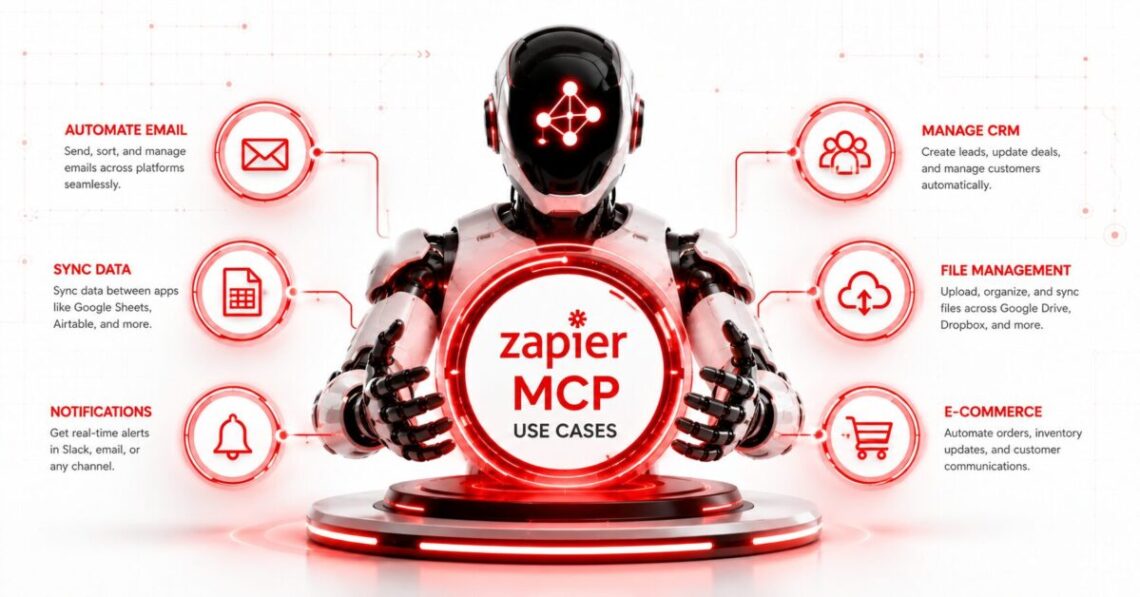
Zapier MCP lets an AI assistant search, create, send, and update information across business applications from a conversation.
You could ask Claude to find a customer in HubSpot, tell ChatGPT to create follow-up tasks from meeting notes, or let Cursor turn a bug description into a GitHub issue and notify the engineering team in Slack.
The current Zapier MCP platform provides governed access to more than 9,000 applications and 40,000 actions. Supported clients include ChatGPT, Claude, Claude Code, Cursor, Microsoft Copilot Studio, VS Code, Windsurf, and other tools that support Streamable HTTP. (Zapier)
The best Zapier MCP use cases share a common pattern:
- The user is already working inside an AI assistant.
- The assistant needs live information from another application.
- The user wants it to take a specific action with that information.
- The action is narrow enough to review, log, and reverse when necessary.
Zapier MCP is less suitable for unattended processes that must run every hour, react automatically to new events, or execute a long business process without an active conversation. Traditional Zap workflows or Zapier Agents are usually better for those jobs. (Zapier)
How Zapier MCP Works
MCP, or Model Context Protocol, is an open standard for connecting AI applications to external tools and data sources. It gives an AI client a consistent way to discover available tools and call them without requiring a custom integration for every application. (Model Context Protocol)
Zapier acts as the integration and governance layer.
The user connects business applications to Zapier, creates an MCP server for an AI client, and authenticates that client. The assistant can then use approved Zapier actions through natural-language instructions.
Current Zapier MCP servers use dynamic tool discovery by default. The agent can:
- Discover available application actions
- Enable an action
- execute read operations, such as searching for an email
- Execute write operations, such as creating a task
- Load reusable workflow instructions called Skills
Zapier also supports manual configuration for teams that need a fixed toolset, tightly scoped access, or locked field values. (Zapier)
That distinction matters. Dynamic discovery is convenient for experimentation. Manual configuration is safer when the AI should only have access to a predictable set of actions.
Zapier MCP Use Cases at a Glance
| Use Case | Example Applications | Recommended Control Level |
|---|---|---|
| Inbox research and summaries | Gmail, Outlook, Slack | Read-only |
| Meeting preparation | Calendar, Gmail, Notion | Read-only |
| Task capture | Asana, ClickUp, Trello, Todoist | Confirm before creating |
| Sales follow-up | HubSpot, Salesforce, Gmail | Draft before sending |
| Pipeline reporting | Salesforce, Sheets, Slack | Read first, approve updates |
| Customer support triage | Zendesk, Intercom, Jira | Draft and escalate |
| Recruiting coordination | Gmail, Calendar, HR apps | Protect candidate data |
| Content operations | Docs, Notion, WordPress, Asana | Approval before publishing |
| Development workflows | GitHub, Jira, Linear, Slack | Limit repository actions |
| Incident communication | PagerDuty, Slack, Jira | Human approval required |
| Finance administration | Accounting apps, Sheets, email | No autonomous payments |
| Embedded AI assistants | OpenAI API, Anthropic API, custom apps | Application-level guardrails |
The appropriate controls matter more than the number of applications involved.
1. Search and Summarize Important Emails
One of the safest Zapier MCP use cases is retrieving information from an inbox without immediately changing anything.
An assistant could:
- Find messages from a client
- Summarize an email thread
- Identify unanswered questions
- Extract dates and commitments
- List messages that need a response
- Search for attachments or order references
Example prompt:
Find the emails I received from Acme this week. Summarize the decisions, list unanswered questions, and identify any deadlines. Do not send or modify anything.
Zapier lists Gmail actions for searching messages, sending email, and managing labels. A read-only search workflow lets the user confirm that the assistant found the correct conversation before allowing it to draft or send a response. (Zapier)
This is safer than starting with “reply to every unread customer email.” A summary gives the user a review point before any external communication occurs.
2. Prepare for Meetings Using Live Context
Meeting preparation often requires information scattered across email, calendar events, documents, CRM notes, and project-management tools.
Zapier MCP can gather that context from one conversation.
Example prompt:
Review tomorrow’s calendar. For every external meeting, find the most recent email thread, relevant HubSpot notes, and open Asana tasks. Create a short briefing for each meeting. Do not update any records.
A useful meeting brief might contain:
- Attendee names and roles
- Previous decisions
- Unresolved issues
- Current project status
- Promised deliverables
- Relevant account information
- Suggested questions
This works well because the initial stage is retrieval rather than action.
After the meeting, the same connection could create tasks or save notes, but the user should approve the extracted commitments first. Otherwise, a misunderstood transcript could become an incorrect deadline or assignment.
3. Turn Conversation Notes Into Tasks
Users frequently leave an AI conversation with useful decisions that never reach the system where work is managed.
Zapier MCP can convert those decisions into tasks in Asana, ClickUp, Jira, Linear, Trello, or another supported application.
Example prompt:
Turn the approved action items from this conversation into Asana tasks. Show me the task names, owners, due dates, and project before creating them.
The review step is important because AI assistants may infer an owner or due date that was never explicitly agreed.
A reliable task-creation process should require:
- A clear task title
- One accountable owner
- An approved due date
- The correct project or workspace
- Source context
- A link to the relevant conversation or document where possible
Zapier’s official documentation lists task creation and project updates among the platform’s common MCP actions. (Zapier)
4. Build a Research Assistant Across Company Apps
A company may have valuable information distributed across Slack, Google Drive, Notion, email, and project-management systems.
Zapier MCP can let an AI assistant search those sources during a conversation.
Example prompt:
Find internal documents and Slack discussions about our enterprise onboarding process. Summarize the current steps, identify conflicting instructions, and cite the source of each claim.
This is useful for:
- Policy research
- Product questions
- Customer history
- Project handovers
- Internal process documentation
- Preparing executive briefings
- Finding previous decisions
The assistant should preserve links or source identifiers in its answer. A polished summary without traceable evidence can conceal outdated or contradictory information.
Zapier presents research assistants and cross-application knowledge retrieval as a core MCP use case. (Zapier)
For a wider explanation of how agents connect to external systems, see our coverage of current agentic AI developments.
5. Draft Personalized Sales Follow-Ups
Zapier MCP can connect an AI assistant to a CRM, inbox, calendar, and sales notes.
That makes it possible to draft a follow-up based on real account context instead of a generic email template.
Example prompt:
Find the latest HubSpot activity for Northwind, review my recent email thread with its purchasing manager, and draft a follow-up based only on confirmed commitments. Do not send it.
A responsible workflow separates research, drafting, and sending:
- Search the CRM and email.
- Summarize the relevant facts.
- Draft the message.
- Let the salesperson review it.
- Send only after explicit approval.
This structure reduces the risk of mentioning the wrong price, inventing a promise, exposing private CRM notes, or sending a message to the wrong contact.
The strongest use of MCP here is not fully autonomous outreach. It is producing a context-aware draft without forcing the salesperson to switch among several applications.
6. Review and Update the Sales Pipeline
Sales leaders often spend time collecting deal information before a weekly forecast meeting.
Zapier MCP can retrieve pipeline records, summarize risk, and prepare an update.
Example prompt:
Find all open Salesforce opportunities expected to close this quarter. Flag deals with no activity in 14 days, calculate a weighted forecast using the stored probabilities, and prepare a table for review. Do not change any opportunity stages.
After review, a second request could update selected records and post an approved summary to Slack.
Zapier gives an official example in which MCP pulls Salesforce pipeline data, calculates a weighted forecast, and sends the result to Google Sheets and Slack. (Zapier)
The main limitation is data quality. If probabilities, close dates, or deal values are stale, the generated forecast will also be unreliable.
MCP can reduce the effort required to inspect the pipeline. It cannot correct poor sales discipline by itself.
7. Triage Customer Support Requests
A support assistant can use Zapier MCP to find account details, review previous tickets, classify the request, and draft a response.
Example prompt:
Review this support ticket, search for previous tickets from the same customer, check their account tier, and draft a response. Create a Jira issue only if the problem appears to be a reproducible product defect.
A useful support workflow can:
- Identify the customer
- Retrieve earlier interactions
- Check plan or order information
- Classify urgency
- Suggest a response
- Escalate technical issues
- Create an engineering ticket
- Notify the account owner
The assistant should not automatically close tickets, promise refunds, disclose internal notes, or make contractual commitments.
For sensitive cases, it should draft the recommended action and let a support agent approve it.
This is a good example of the distinction between deterministic AI operations automation and agentic judgment. A fixed rule can route an urgent ticket. An AI assistant can interpret the context, but its interpretation still needs oversight.
8. Coordinate Recruiting and Interview Scheduling
Recruiters may use MCP to search candidate correspondence, check interviewer availability, create calendar events, and update an applicant-tracking system.
Example prompt:
Find the latest email from this candidate, check the interview panel’s availability next week, and propose three meeting times. Do not send an invitation until I approve one.
After approval, the assistant could:
- Create the calendar event
- Add the video meeting link
- Send the candidate confirmation
- Update the hiring system
- Notify interviewers
- Create a preparation task
Candidate records can contain sensitive personal information. The MCP server should expose only the applications and actions required for the recruiting workflow.
An AI assistant should not autonomously reject candidates, infer protected characteristics, or summarize personal information that is irrelevant to the hiring decision.
9. Manage Content Production
Zapier MCP can help move a content asset from research to publication without requiring the editor to open every application manually.
Example prompt:
Create an Asana task for this approved article, save the final brief in Google Docs, add the target keyword and due date, and notify the assigned writer in Slack. Show me all field values first.
Other content operations may include:
- Creating editorial tasks
- Saving briefs
- Updating content calendars
- Requesting reviews
- Moving approved assets
- Notifying designers
- Creating distribution checklists
- Recording publication URLs
Publishing should remain an approval-based action. The assistant may misunderstand formatting, metadata, category selection, or whether a draft is final.
The broader process should follow clear AI workflow design rather than giving one assistant unrestricted access to every publishing action.
10. Create Development Issues and Release Updates
Developers working in Cursor, Claude Code, VS Code, or another MCP-compatible coding environment can create issues and communicate updates without leaving the development context.
Example prompt:
Create a GitHub issue from this confirmed bug. Include reproduction steps, expected behavior, actual behavior, affected files, and the failing test. Then post the issue link in the engineering Slack channel.
Zapier lists GitHub, Jira, Slack, and project-management actions among its supported MCP use cases. (Zapier)
Other development workflows include:
- Creating a Jira issue from an error report
- Updating a Linear task after implementing a fix
- Posting deployment notes
- Creating a release checklist
- Notifying stakeholders about a blocked deployment
- Saving test results to a project document
Repository write access requires extra caution. An assistant allowed to create issues does not necessarily need permission to merge pull requests, delete branches, or modify production settings.
Developers comparing MCP support across coding tools can also read our Claude Code vs GitHub Copilot comparison.
11. Coordinate Incident Response
Zapier MCP can help incident responders gather information and coordinate communication during an outage.
Example prompt:
Find the current incident channel, retrieve the latest monitoring alert and related Jira issue, then prepare an internal status update. Do not post it until I approve the wording.
Possible actions include:
- Finding alerts
- Creating an incident record
- Opening a tracking issue
- Creating a response channel
- Notifying the on-call engineer
- Updating an internal status document
- Drafting stakeholder communications
- Recording the final resolution
Incident response is a high-risk use case because urgency makes mistakes more likely.
The AI should not independently declare an incident resolved, modify infrastructure, notify customers, or publish a status-page update without human authorization.
MCP is most useful here as a coordination layer. Technical remediation should remain inside approved operational systems with their own access controls and runbooks.
12. Add Actions to a Custom AI Assistant
Developers can use Zapier MCP with OpenAI’s Responses API, Anthropic’s Messages API, or custom Python and TypeScript applications.
This enables an in-product assistant to take action across Zapier-supported applications without the developer maintaining separate integrations for each service. (Zapier)
A SaaS company could build an assistant that lets users:
- Create a CRM contact
- Schedule an appointment
- Send a Slack message
- Add a spreadsheet row
- Create a project task
- Look up order information
- Submit a support issue
The application still needs its own controls for:
- User identity
- Tenant separation
- Tool approval
- Input validation
- Rate limiting
- Error handling
- Confirmation screens
- Logging
- Abuse prevention
Zapier handles application connections and MCP tool execution. It does not replace the security and product logic of the application using those tools.
Zapier MCP vs Zaps vs Zapier Agents
Choosing the correct Zapier product prevents unnecessary complexity.
| Requirement | Best Fit |
|---|---|
| Take a one-off action while chatting | Zapier MCP |
| Search live app data during a conversation | Zapier MCP |
| Give a custom AI application access to app actions | Zapier MCP |
| React automatically when a new event occurs | Zap workflow |
| Run a predictable process on a schedule | Zap workflow |
| Use branches, filters, delays, and fixed business logic | Zap workflow |
| Let an AI teammate work independently in the cloud | Zapier Agents |
| Run a recurring AI behavior when the user is offline | Zapier Agents |
| Build an interactive assistant inside another product | Zapier MCP through an API or SDK |
It describes MCP as the better option for users who primarily work inside an AI chatbot and need conversational, one-request-at-a-time actions. Zapier Agents are designed for independent multi-step work that can continue in the cloud. (Zapier)
A strong system may use all three.
MCP can capture a user’s intent, a Zap can run the predictable process, and an Agent can handle a recurring task that still requires AI judgment.
How Much Does Zapier MCP Cost?
Zapier does not charge a separate MCP subscription.
MCP is available across Free, Professional, Team, and Enterprise accounts. Each successful tool call consumes two tasks from the account’s shared Zapier task allowance. Failed tool calls do not consume tasks. (Zapier)
Current Zapier platform pricing starts at:
- Free: $0 per month with 100 tasks
- Professional: $19.99 per month
- Team: $69 per month
- Enterprise: Custom pricing
The prices shown are starting rates and can change based on billing frequency and task allowance. (Zapier)
A Free account’s 100 monthly tasks could support up to 50 successful MCP tool calls if no other Zapier product uses the same task pool.
One conversational request may trigger several tool calls:
- Find a HubSpot contact: two tasks
- Search that person’s Gmail thread: two tasks
- Create an Asana task: two tasks
- Send a Slack message: two tasks
That four-action request would consume eight tasks.
Batch operations are counted individually. Adding five spreadsheet rows results in five tool calls and ten tasks. Searching once and updating ten records results in 11 calls and 22 tasks. (Zapier)
Cost therefore depends more on action volume than on the number of prompts typed into the AI client.
Security Rules for Zapier MCP Use Cases
Giving an AI assistant access to business systems changes the risk profile of an ordinary chat.
Use these controls before enabling important actions.
Begin With Read-Only Actions
Start with searches, lookups, and summaries.
Add creation or update actions only after the retrieval stage works reliably.
Separate Drafting From Sending
Allow the assistant to draft an email before allowing it to send one.
Use the same pattern for publishing, posting, refunds, record deletion, and customer notifications.
Use Manual Configuration for Sensitive Work
Zapier’s dynamic discovery mode lets an agent discover and enable actions. Manual configuration provides a fixed toolset and supports locked field values. (Zapier)
A finance assistant may need permission to look up an invoice without receiving access to refund or payment actions.
Use a Separate Server for Each Client
Zapier requires each AI client to have its own MCP server. Connection tokens should be treated like passwords and rotated immediately if exposed. (Zapier)
Review Action History
Zapier’s History tab records the time, tool name, AI instruction, field values, and output associated with an action. (Zapier)
Review these logs during testing and after unexpected behavior.
Keep High-Risk Actions Human-Approved
Payments, refunds, record deletion, production changes, public publishing, employment decisions, and legal communication should not be triggered from an ambiguous prompt without confirmation.
Respect Application-Level Permissions
Zapier MCP enforces existing account, application, and action restrictions. A user who cannot perform an action inside the original application should not gain that permission through MCP. (Zapier)
Understand the Data Environment
Zapier says MCP operates under its SOC 2 Type II controls. Customer data is generally stored in AWS US-East 1, and dedicated VPC or on-premises deployment is not currently available. Enterprise customers are opted out of AI model training by default under Zapier’s applicable terms. (Zapier)
Organizations with residency, regulatory, or confidentiality requirements should review the full agreement before connecting sensitive systems.
Tool Bundles for Repeatable Use Cases
Zapier tool bundles let someone share a list of MCP tools through a link.
The recipient gets an independent copy of the tool list and connects their own accounts. The bundle does not share the original user’s credentials, application accounts, data, or custom field values. (Zapier)
This is useful for:
- Onboarding a sales team
- Giving developers a standard issue-management toolset
- Providing recruiters with approved scheduling actions
- Sharing a client-specific agency configuration
- Distributing a safe read-only research setup
- Standardizing MCP tools across a department
A bundle is not a security policy by itself. Each recipient still needs to authenticate the correct account and review the actions being added.
Common Zapier MCP Mistakes
Enabling Every Available Action
A broad toolset increases the damage that can result from a misunderstood prompt.
Give the assistant only what the use case requires.
Combining Research and Irreversible Action
“Review this complaint and issue the appropriate refund” gives the AI too much discretion.
Separate investigation, recommendation, approval, and execution.
Ignoring Task Consumption
One prompt can produce several tool calls, and batch actions multiply quickly.
Monitor both MCP tasks and total plan usage.
Treating an AI Response as Proof
An assistant can search the wrong record, misread a field, or summarize incomplete information.
Require source links and record identifiers for decisions that matter.
Using MCP for a Deterministic Recurring Process
A nightly report or fixed data transfer may be cheaper and more reliable as a normal Zap.
MCP is strongest when the user needs conversational intent and live judgment.
Failing to Test With Noncritical Data
Start with a test workspace, draft actions, sample records, and reversible tasks.
Do not discover the assistant’s failure modes in a production customer account.
Which Zapier MCP Use Case Should You Start With?
Start with a workflow that is useful, frequent, and low-risk.
A good first use case is:
Search my calendar and email to prepare a briefing for tomorrow’s meetings. Do not send, create, update, or delete anything.
This tests whether:
- The client is connected properly
- The agent discovers the correct tools
- Authentication works
- Search results are accurate
- The assistant can combine information from multiple sources
- The output is useful enough to justify task consumption
Once retrieval is reliable, add one reversible write action, such as creating a draft task.
Avoid starting with email sending, payments, production changes, record deletion, or bulk CRM updates.
Final Takeaway
Zapier MCP is most valuable when an AI assistant needs to move from talking about work to performing a specific action inside the applications where that work lives.
Its strongest use cases include:
- Researching email and company records
- Preparing for meetings
- Creating approved tasks
- Drafting personalized follow-ups
- Reviewing sales pipelines
- Triaging customer support
- Coordinating content and development work
- Adding business actions to custom AI applications
The advantage is convenience. Users can retrieve information and act on it without repeatedly switching between an AI assistant, email, CRM, project manager, and chat application.
The trade-off is control.
Every successful tool call consumes Zapier tasks, and every enabled write action gives the AI another way to affect a real system. Dynamic tool discovery can reduce setup, but sensitive workflows benefit from fixed actions, narrow permissions, visible source data, and human approval.
- Use Zapier MCP for conversational, user-directed work.
- Use Zaps for predictable event-driven automation.
- Use Zapier Agents when work should continue independently in the background.
And for the first implementation, choose a read-only workflow that saves time without creating a costly mistake if the assistant misunderstands the request.