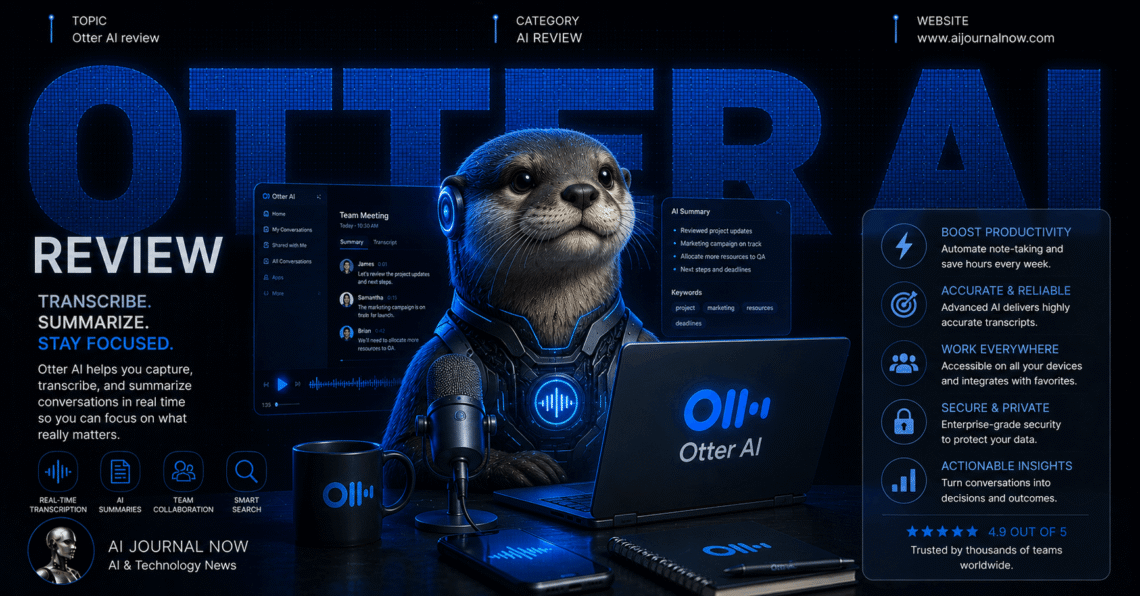
Otter AI review time—because I’ve relied on this for transcribing meetings for years now. And I figured it was time to revisit whether it still holds up. So let’s get into what I found.
What Exactly Is Otter AI?
Otter.ai is a transcription and meeting assistant tool. It converts speech to text in real time. Originally built for note-taking, it’s expanded significantly since.
It integrates with Zoom, Google Meet, and Microsoft Teams. You can also use it for standalone recordings. Lectures, interviews, podcasts—anything with speech works.
Beyond transcription, Otter generates summaries and action items now. It’s evolved from a simple transcription app. Now it’s more of a complete meeting assistant.
My First Impressions Using It
I started using Otter years ago for podcast transcripts. Back then, it felt impressively accurate already. Revisiting it now, improvements are noticeable.
The summary feature is newer and genuinely useful. I tested it on a long client call. The summary captured key points concisely.
In my experience, Otter’s core strength remains transcription quality. Other features feel like additions to that foundation. The base product was always solid.
How Otter AI Actually Works
You start by connecting Otter to your calendar. It can then auto-join scheduled meetings. Or you can manually start recordings anytime.
During recording, real-time transcription appears on screen. You can see text as people speak. Speaker identification labels different voices automatically.
After the meeting, Otter generates a summary. Action items and key points get highlighted. You can edit transcripts for accuracy afterward.
The “Otter AI Chat” feature lets you ask questions. Query specific meetings or search across your history. It pulls relevant information from transcripts.
Otter AI review: Testing Transcription Accuracy
I tested transcription across various scenarios. Clear, single-speaker audio performed excellently. Accuracy felt close to 95% consistently.
Multi-speaker calls were generally well-handled too. Speaker labels stayed accurate throughout most conversations. Occasional mix-ups happened during rapid back-and-forth talk.
I compared this to Fireflies AI, a competitor. Both performed similarly for clear audio. Otter felt slightly better for longer recordings.
For accented speech, results varied. Some accents transcribed nearly perfectly. Others required more manual correction afterward.
Pricing and Plans Breakdown
Otter offers a free plan with monthly limits. You get a set number of transcription minutes. Good for occasional users testing the waters.
The Pro plan costs around $10 monthly per user. This increases transcription minutes significantly. Most regular users find this sufficient.
Business plans cost more but add team features. These include admin controls and analytics. Pricing scales based on team size.
Compared to Rev for professional transcription, Otter is cheaper. But Rev offers human transcription for higher accuracy needs.
Otter AI review: Comparing It to Fireflies and Zoom AI
Let’s talk alternatives, because options matter here. Each tool has different strengths worth knowing.
Fireflies AI offers similar features at comparable pricing. Otter’s transcription quality feels slightly more refined, though. Both work across multiple platforms well.
Zoom’s built-in AI companion only works within Zoom. Otter works across various platforms simultaneously. This matters if your team uses different tools.
For long-form content like lectures, Otter excels. Its history with transcription shows in output quality. Newer tools sometimes lack this refinement.
Search and Chat Features
The Otter AI Chat feature impressed me during testing. I asked about a meeting from weeks ago. It found relevant information quickly and accurately.
I tested searching for specific keywords across transcripts. Results appeared with timestamps and context. This saved time hunting through long recordings.
Compared to manually searching transcripts, the AI chat felt faster. For quick fact-checking, this feature genuinely helps. Worth exploring if you have a large transcript library.
Real-World Use Cases I’ve Tried
Let me share some actual scenarios. These are situations from my regular work.
Scenario 1: Podcast transcription. I record interviews for a podcast project. Otter transcribes these accurately within minutes. Editing for show notes became much faster.
Scenario 2: Client meeting notes. Otter joins my client calls automatically now. Summaries and action items get generated immediately. I forward these directly without extra writing.
Scenario 3: Lecture notes. A friend uses Otter for university lectures. Transcripts help with studying later. Searching for specific topics saves review time.
Scenario 4: Team brainstorm sessions. We recorded a creative brainstorm recently. Otter captured all ideas, even chaotic ones. Reviewing the transcript helped organize follow-up tasks.
Pros and Cons After Years of Use
Here’s my honest breakdown after extensive testing. No exaggeration, just real findings.
Pros:
- Consistently strong transcription accuracy
- Works across multiple meeting platforms
- AI Chat feature for searching transcripts
- Free plan available for testing
- Long history of refinement and updates
Cons:
- Free plan minutes are limited
- Accented speech sometimes needs correction
- Pricing adds up for heavy users
- Some advanced features feel newer, less polished
I’ve noticed Otter performs best with consistent use. Building a transcript library makes the search feature more valuable. Occasional users might not see the full benefit.
Privacy and Recording Considerations
Recording conversations raises privacy questions, as always. Otter notifies participants when joining calls. But consent laws vary by location.
Check recording consent requirements before using Otter regularly. Some regions require all-party consent for recordings. Transparency with participants avoids issues later.
For professional settings, I always mention Otter upfront. Most people don’t object once explained. Better to address this proactively than reactively.
Who Should Actually Use Otter AI?
This depends on your specific needs. Let me break it down simply.
If you regularly record meetings, lectures, or interviews, it’s excellent. The transcription quality justifies the cost for heavy users. Search features add long-term value too.
If you only occasionally need transcripts, the free plan helps. Paid tiers might not be necessary for light usage. Test the free version first to gauge needs.
If you’re choosing between Otter and Fireflies, both work well. Otter edges ahead for long-form transcription quality. Fireflies offers slightly different analytics features.
Tips for Better Results
After years of use, I’ve picked up some tricks. Audio quality remains the biggest factor always.
Use a quality microphone whenever possible. This dramatically improves transcription accuracy. Background noise causes most errors I’ve encountered.
For important recordings, review transcripts afterward. Correct any errors while context is fresh. This habit improves usability of saved transcripts.
Frequently Asked Questions
Is Otter AI good for beginners?
Yes, the interface is intuitive and simple. Recording and transcription work immediately. Minimal setup required to get started.
Does Otter AI work offline?
No, it requires internet connectivity for transcription. Recordings can happen offline, but processing needs connection. Keep this in mind for remote locations.
How accurate is Otter compared to human transcription?
For clear audio, it’s quite close. For complex audio, human transcription via Rev remains more accurate. Depends on your accuracy requirements.
Can Otter AI handle multiple languages?
Yes, Otter supports several languages now. English remains the strongest by far. Other languages have improved but vary in accuracy.
Final Thoughts on This Otter AI Review
So, is Otter AI still worth using? For transcription needs, absolutely yes.
The core transcription quality remains genuinely impressive. New features like AI Chat add real value. And the multi-platform support keeps it flexible.
But heavy users should budget for paid plans. Free tiers have real limitations. Weigh your actual recording frequency against costs.
If you record meetings, interviews, or lectures regularly, try it. Start with the free plan to test quality. See how it fits your specific workflow.
For the latest features and pricing details, check Otter’s official site. This space updates frequently, so stay current.
Read Also: 30 Online Business Ideas for 2026: You Can Try Today