Fireflies AI review time—because I’ve used this for meeting notes for months now. And honestly, I was skeptical at first about another meeting tool. So let’s get into what I actually found.
What Exactly Is Fireflies AI?
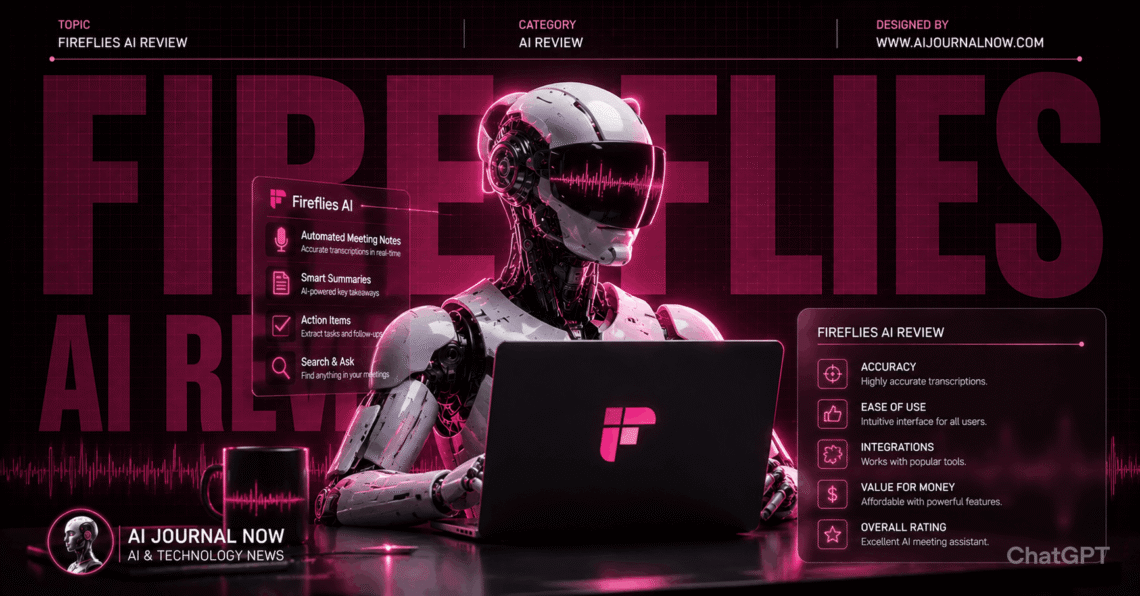
Fireflies AI is an AI meeting assistant. It joins your calls and records conversations automatically. Then it transcribes and summarizes everything afterward.
It works with Zoom, Google Meet, Microsoft Teams, and more. You add Fireflies as a participant in meetings. From there, it handles recording and notes automatically.
Beyond transcription, it generates action items and summaries. You can search across past meetings too. It’s basically a searchable archive of conversations.
My First Impressions Using It
I added Fireflies to a client call first. It joined silently and started recording. I forgot it was even there, honestly.
After the call, I got a notification. The summary was ready within minutes. Action items were clearly highlighted at the top.
In my experience, the time savings compound quickly. I used to spend 15 minutes writing notes after calls. Now that’s basically automated entirely.
How Fireflies AI Actually Works
You connect Fireflies to your calendar first. It then automatically joins scheduled meetings. No manual setup needed for each call.
During the meeting, it records audio and video. Speech-to-text transcription happens in real time. You can even see live captions during calls.
After the meeting ends, processing begins. Fireflies generates a summary, transcript, and action items. This usually takes just a few minutes.
The “AskFred” feature lets you query meetings directly. You can ask questions about what was discussed. It searches transcripts to find relevant answers.
Fireflies AI review: Testing Transcription Accuracy
I tested transcription accuracy across different meeting types. Clear audio with one speaker performed excellently. Accuracy felt close to 95% in those cases.
Group calls with overlapping speech were trickier. Some words got misattributed between speakers. Background noise occasionally caused minor errors too.
I compared this to Otter.ai, a similar tool. Both performed comparably for clear audio. Fireflies edged ahead slightly for speaker identification.
For technical jargon, accuracy dropped somewhat. Industry-specific terms sometimes got transcribed incorrectly. Manual correction was occasionally needed for these.
Pricing and Plans Breakdown
Fireflies offers a free plan with limited storage. This includes basic transcription for a set number of meetings. Good for testing before committing.
The Pro plan costs around $10 monthly per user. This unlocks more storage and search features. Most individual users land here comfortably.
Business plans cost more but add team features. These include analytics and admin controls. Pricing scales based on team size.
Compared to Gong or other enterprise tools, pricing is lower. Fireflies feels more accessible for smaller teams.
Fireflies AI review: Comparing It to Otter.ai and Zoom AI
Let’s talk alternatives, because options exist. Each tool has different strengths worth knowing.
Otter.ai offers similar transcription and summary features. Pricing is roughly comparable between them. Fireflies integrates with more platforms, though.
Zoom’s built-in AI companion works only within Zoom. Fireflies works across multiple platforms simultaneously. This flexibility matters if you use various tools.
For cross-platform teams, Fireflies makes more sense. For Zoom-only users, the built-in option might suffice. It depends on your meeting tool variety.
Search and Analytics Features
The search feature genuinely surprised me. I searched for “budget discussion” across past meetings. Relevant clips appeared instantly with timestamps.
Analytics show speaking time breakdowns per person. This helped me notice I was talking too much. Useful for improving meeting dynamics over time.
Topic tracking identifies recurring themes across calls. I noticed certain client concerns repeating weekly. This insight helped address issues proactively.
Real-World Use Cases I’ve Tried
Let me share some actual scenarios. These are situations from my daily work.
Scenario 1: Client onboarding calls. I used to scramble taking notes during these. Now Fireflies captures everything automatically. I can focus entirely on the conversation.
Scenario 2: Team standup meetings. Action items get extracted automatically each time. I forward these directly to our project board. Saves manual copying every morning.
Scenario 3: Sales call review. A colleague missed an important call. They used AskFred to ask specific questions. Got answers without watching the full recording.
Scenario 4: Interview transcription. I recorded user research interviews for a project. Transcripts made analysis significantly faster. Quotes were easy to find and reference.
Pros and Cons After Months of Use
Here’s my honest breakdown after daily testing. No exaggeration, just real findings.
Pros:
- Excellent automatic note-taking
- Works across multiple meeting platforms
- The search feature saves real time
- Action items extracted accurately
- Free plan available for testing
Cons:
- Group call accuracy varies
- Technical jargon sometimes misheard
- Storage limits on lower plans
- Privacy concerns for some teams
I’ve noticed accuracy improves with audio quality. Good headsets and quiet rooms help significantly. Garbage audio input produces garbage transcripts, unsurprisingly.
Privacy Considerations Worth Knowing
Recording meetings raises legitimate privacy questions. Some participants may feel uncomfortable being recorded. Transparency matters here significantly.
Fireflies notifies participants when it joins calls. But local laws around recording consent vary. Check recording consent laws in your region before widespread use.
For client-facing calls, I always mention Fireflies upfront. Most people don’t mind once it’s explained. Transparency avoids awkward situations later.
Who Should Actually Use Fireflies AI?
This depends on your meeting frequency. Let me break it down simply.
If you’re in calls daily, it’s genuinely useful. The automatic notes and summaries save real time. Sales teams and consultants benefit especially.
If you rarely have recorded meetings, it might be overkill. The free plan could still help occasionally. Paid tiers may not justify the cost, though.
If your team uses multiple meeting platforms, this helps. Cross-platform compatibility avoids tool-switching headaches. Centralizes all meeting data in one place.
Tips for Better Results
After months of use, I’ve picked up some tricks. Audio quality matters more than anything else.
Use a good microphone or headset always. This dramatically improves transcription accuracy. Background noise causes most errors I’ve seen.
For technical meetings, review transcripts afterward. Correct any misheard jargon manually. This improves future accuracy through learning patterns.
Frequently Asked Questions
Is Fireflies AI good for beginners?
Yes, setup is straightforward and quick. Calendar integration handles most automation. Minimal learning curve overall.
Does Fireflies.ai work for group calls?
Yes, but accuracy varies with overlapping speech. Speaker identification works reasonably well. Clear audio still helps significantly.
Is my meeting data secure?
Fireflies has security measures in place. Check their privacy policy for specifics. Enterprise plans offer additional controls.
Can Fireflies AI replace manual note-taking entirely?
For most meetings, yes, honestly. Occasional spot-checking helps catch errors. But it handles the bulk of work well.
Final Thoughts on This Fireflies AI Review
So, does Fireflies AI actually save time? For regular meeting-goers, absolutely yes.
The automatic transcription and summaries genuinely work well. Search features help find information quickly later. And cross-platform support adds real flexibility.
But privacy considerations matter for client-facing work. Always communicate recordings transparently with participants. That builds trust while using the tool.
If you’re in meetings regularly, it’s worth trying. Start with the free plan first. See how it fits your actual workflow.
For the latest features and pricing details, check Fireflies’ official site. This space updates often, so stay current.
Read Also: 30 Online Business Ideas for 2026: You Can Try Today