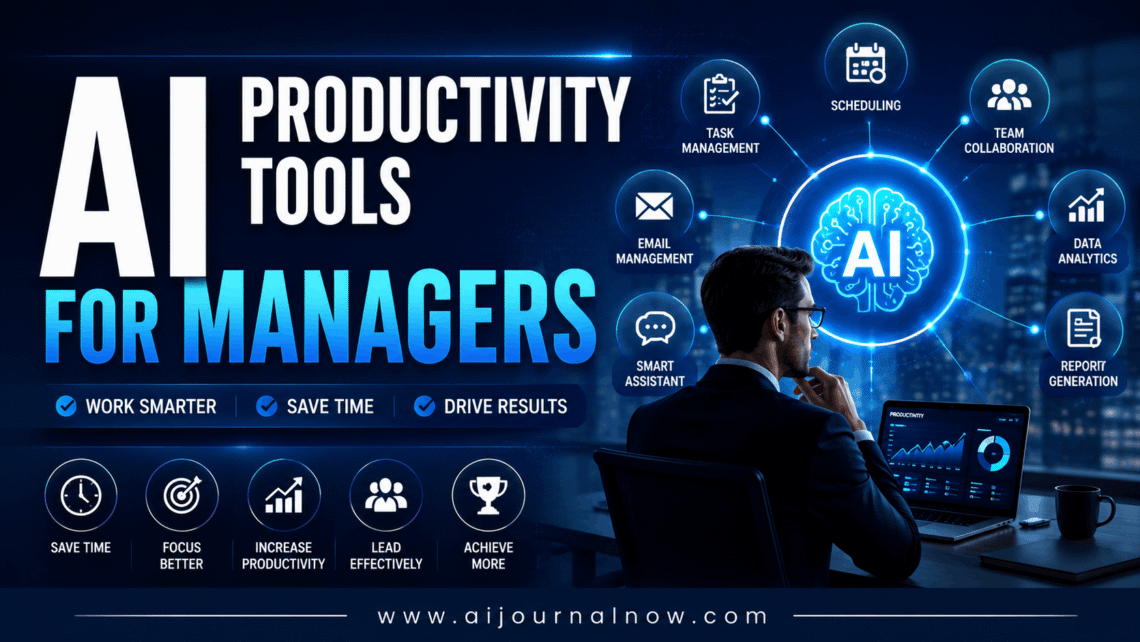
‘AI Productivity Tools for Managers’ sounded like marketing fluff to me for a long time — another category of software that promised to fix everything but actually fixed nothing. Then I went through a brutal quarter: three overlapping projects, two direct reports navigating performance issues, and a budget review that kept getting bumped to “next week” for two months straight. Somewhere around week six of testing a handful of these tools, I noticed something strange. My calendar stopped looking like a hostage situation. My inbox stopped feeling like a second job. So I started paying closer attention to what was actually helping versus what was just… there. This isn’t a sales pitch. It’s more like notes from someone who’s been in the trenches with these tools, written to save you trial and error.
What Are AI Productivity Tools for Managers, Exactly?
Let’s start with the basics. At their core, these tools use machine learning and natural language processing — the same underlying technology behind a lot of what’s broadly called artificial intelligence — to handle the small, repetitive cognitive work that eats up a manager’s day. Think: summarising a one-hour meeting into five bullet points, drafting a first version of a status update, organising a messy list of tasks by priority, or pulling a quick insight out of a spreadsheet you don’t have time to dig into properly.
What they’re not is a replacement for judgement. The most annoying tools I’ve tried are those that attempt to make decisions for you, like auto-sending emails and auto-scheduling without context. The genuinely useful ones just shrink the gap between “I know what needs to happen” and “It’s actually written down, organised, or sent.”
If you want a deeper technical grounding on how the underlying systems work, that Wikipedia overview is a solid, jargon-light starting point. But honestly, you don’t need to understand the mechanics to get value out of these tools — you just need to know what problem you’re trying to solve.
Why Managers Are Leaning on AI More Than Ever
Part of the equation is just math. Managers spend an outsized chunk of their week in meetings, writing updates, and switching between five or six different apps just to get a clear picture of what’s going on. McKinsey’s research on generative AI and productivity suggested that a meaningful share of work activities across most occupations could eventually be automated in some form, and management-heavy roles aren’t exempt from that. I don’t take every projection in these reports as gospel – forecasts like these are always a bit fuzzy – but the general direction tracks with what I’ve seen on the ground.
There’s also a cultural shift happening alongside the technology. Teams are more distributed and more async than they were even a few years ago. Catching up on a meeting you missed used to mean cornering a coworker for twenty minutes after lunch. Now it might mean reading a three-paragraph summary that was generated automatically before you even opened your laptop.
And there’s a quieter factor too: manager burnout is real, and a lot of it comes from the sheer volume of small administrative tasks — not the big strategic decisions, which most managers actually enjoy. Hybrid schedules also mean fewer hallway check-ins, so more of that “what’s going on” information has to be written down somewhere, which is exactly the kind of thing these tools are good at organising.
My Go-To AI Productivity Tools for Managers (And What They’re Actually Good For)
I haven’t tried every tool out there — nobody realistically has time for that. But here’s what has stuck in my actual workflow, month after month, and why.
Meeting notes and transcription
Otter.ai has been the most consistent win for me, by a wide margin. It joins calls, transcribes them in real time, and produces a summary with action items afterward. I’ve noticed that when I forward these summaries to my team right after a meeting, we miss way fewer things. People stop messaging me three days later asking, “Wait, what did we actually decide on this?”
Project planning and documentation
This is where Notion AI comes in for me. I’ll take rough, half-formed notes from a planning session – the kind of stuff that makes sense to me in the moment but to no one else – and use them to turn that into a structured project page with sections, headings, and a rough timeline. I still edit plenty. But starting from something is better than starting from a blank page every single time.
Calendar and time management
Reclaim.ai quietly rearranges your calendar around the priorities you set, protecting blocks of focus time and shuffling lower-priority meetings around automatically. The first week felt a little chaotic — it kept moving things I didn’t expect it to move — but once I learnt to trust it (and adjusted a few settings), my week became noticeably less stressful.
Task and project tracking
For day-to-day task management, project management software with AI features built in works well, especially if you’re managing more than one team. Tools in this category can draft quick project summaries, flag tasks that look like they’re at risk of slipping, and even suggest priority orders based on deadlines.
None of these tools are magic, and I want to be clear about that. But stacked together, they quietly remove a lot of the small decisions and tiny bits of writing that used to chew up my mornings before I’d even gotten to the actual work.
A Typical Morning With These Tools
Here’s roughly what a Tuesday looks like now. I wake up, and Reclaim.ai has already shuffled my calendar so the first ninety minutes are protected for deep work — no meetings allowed, no exceptions unless something’s genuinely urgent. While I’m working through that block, Otter has already processed yesterday’s late-afternoon call and dropped a clean summary with three action items into my inbox. I skim it, forward one item to a teammate, and keep moving.
By the time I actually open my inbox properly, Notion AI has already turned my scattered notes from yesterday’s planning session into a half-decent project outline. I’m not using it word-for-word — there’s always editing involved — but starting from something instead of nothing easily saves me twenty to thirty minutes.
Is any single piece of this life-changing? Not really. But multiply that across five days a week, fifty-something weeks a year, and it adds up to a genuinely meaningful chunk of time. I’ve mostly redirected that time to actual one-on-ones with my team, which is the part of management that tends to get squeezed out first when things get busy.
The Real Pros and Cons of AI Productivity Tools for Managers
I don’t want this to read like an advertisement, so let’s be honest about both sides of this.
These tools are particularly effective for repetitive writing — summaries, status updates, and first drafts. They cut down on the mental tax of constantly switching between meetings, tasks, and tools. The best ones integrate into software you’re already using, so there’s not much of an adoption curve. And some of them are surprisingly effective at surfacing patterns in your team’s workload that you’d otherwise miss, like noticing one person is consistently overloaded while another has capacity to spare.
On the downside, nuance is still a real problem. Sarcasm, interpersonal tension, or politically sensitive conversations can get flattened or misread badly in an automated summary — and that can cause more confusion than it solves if you’re not careful. Some tools also have a real learning curve before they start saving time instead of creating extra work. There’s also a kind of reverse decision fatigue that can creep in: when you’ve got five different tools all generating suggestions, summaries, and nudges, it can start to feel like more noise rather than less.
And privacy is worth taking seriously. If your team discusses sensitive HR matters, salary details, or financial information during meetings, you need to know exactly where that data goes, how long it’s stored, and who can access it. In my experience, most of these downsides are manageable if you’re upfront with your team about what’s being recorded, summarised, or analysed — people care less about the tool itself and more about whether they were told it’s being used.
How to Pick the Right Tool for Your Team
Don’t start by browsing “best AI tools” listicles — ironic, given what you’re reading, but bear with me. Start instead by figuring out your actual bottleneck. Are meetings eating into your day? Try a transcription tool first, and see how it feels for two weeks before adding anything else. Is it task tracking and visibility across a team? Start with project management software that already has AI features built in, rather than bolting on a whole new app on top of everything else.
When you’re comparing AI productivity tools for managers, it helps to make a short list of the actual tasks you want help with — not the tasks you think you “should” want help with. And test it with one team or one project before rolling anything out more broadly. The tools that look impressive in a polished demo sometimes fall apart when you feed real, messy, human conversations into them.
One more thing: ask your team how they feel about it. Adoption goes a lot smoother when people understand why they use a tool and what it does — and doesn’t do — with their information. A quick five-minute conversation upfront can save you weeks of quiet resistance later.
Quick FAQs
Do I need technical skills to use these tools?
Not really. Most of these are built for non-technical users — closer to “set it up once and adjust occasionally” than to “learn to code”.
Will these tools replace parts of my job?
Probably some of the smaller parts — the parts that were never really the point of being a manager anyway. Relationships, judgement calls, and actual leadership aren’t going anywhere.
Are these tools expensive?
It varies a lot by provider. Many have genuinely useful free tiers for individuals, with paid plans that scale based on team size and feature access. I’d recommend trying a free tier for at least a couple of weeks before committing to anything paid.
Is my data safe?
That depends entirely on the provider, and it’s worth reading their data policy directly rather than assuming — especially for any tool that has access to meeting audio or written communications.
How long before I notice a difference?
For most people, it’s somewhere between two and four weeks. The first week or so usually feels like extra work, since you’re adjusting settings and figuring out what to trust. Thereafter, it tends to fade into the background — which, honestly, is exactly what you want from a tool like this.
So, where does that leave you? If you’re a manager who feels like you’re permanently one notification behind, AI productivity tools for managers are worth a genuine look — not as some all-in-one fix, but as a way to claw back a few real hours a week. Pick one annoying, recurring problem. Try one tool for it. Give it two weeks before judging it. And if it doesn’t stick, that’s fine — not every tool works for every team, and that’s a useful data point too. Worst case, you’ve spent a couple of weeks figuring out what doesn’t work for you, which is still more than most people ever do.
Read Also: AI Marketing Strategy: A Practical Guide That Works