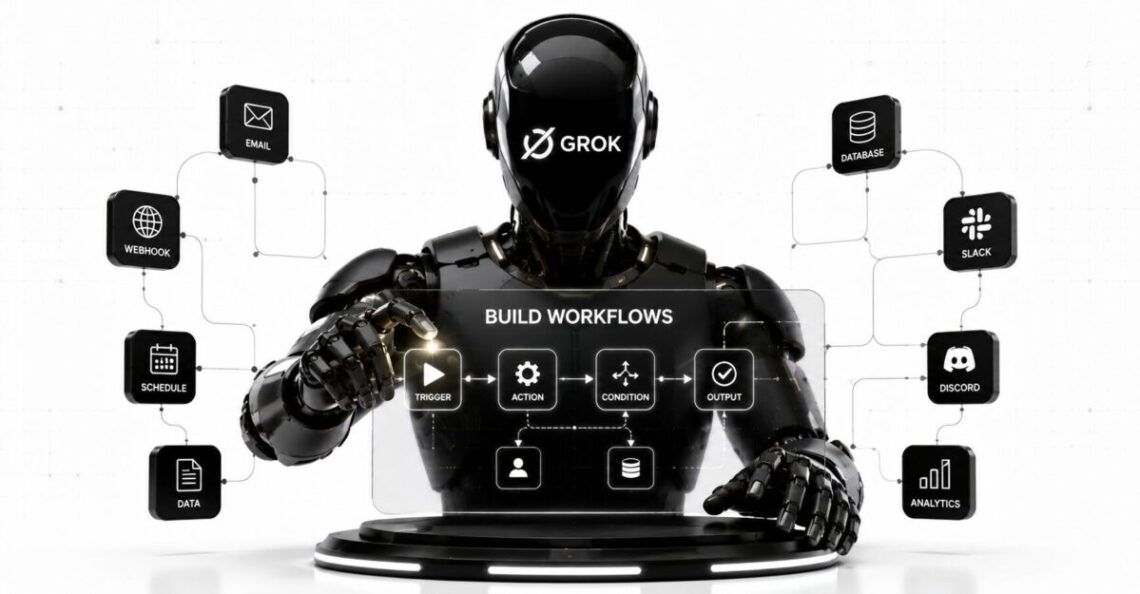
Grok Build Workflows are reusable orchestration scripts that divide a large coding or research task among multiple AI agents, run those agents in parallel, verify their findings, and combine the results into one final report.
SpaceXAI announced Workflows for Grok Build on July 23, 2026. A standard run can use a budget of up to 128 agents, while larger jobs may use as many as 1,024. The work continues in the background, leaving the main Grok Build session available for other tasks.
The feature is designed for jobs that are too broad for one agent to handle efficiently in a single conversation. Examples include:
- Reviewing every feature changed in a large pull request
- Triaging a backlog of 100 software issues
- Auditing an entire codebase for missing authorization checks
- Running independent research tracks on a complex question
- Asking separate agents to verify each finding before publication
- Producing one prioritized report from many parallel investigations
This is not a visual business automation tool like Zapier, Make, or Microsoft Power Automate. Grok Build Workflows currently belong to xAI’s terminal-based coding agent and are aimed mainly at developers, security reviewers, technical researchers, and teams managing large repositories.
The feature looks promising for work that can be divided cleanly. It is less useful when a task depends on one continuous train of thought, requires constant human judgment, or involves many agents changing the same files at once.
The Quick Verdict
Grok Build Workflows address a real limitation of coding agents: one AI session can struggle when it must inspect hundreds of unrelated files, issues, or changes while remembering every detail.
The workflow system improves this by giving each subagent a smaller assignment and a focused context. Later phases can check the work, challenge weak findings, and combine the strongest conclusions.
Its most useful capabilities are:
- Natural-language workflow creation
- Parallel execution across many agents
- Separate context for each agent
- Multi-phase verification
- Pause and resume support
- Reusable workflow commands
- Per-agent progress and token monitoring
- Team-level workflow sharing
The main risk is scale without control. A poorly defined task performed by 128 agents does not become reliable merely because more agents are involved. It can produce duplicated work, conflicting conclusions, excessive token use, or a large report built on the same flawed assumption.
Grok Build Workflows are therefore best treated as structured delegation, not automatic proof of correctness.
How Grok Build Workflows Work
A user begins by describing a large task in ordinary language.
For example:
Create and run a workflow that reviews every feature changed in this pull request, verifies each issue, and returns a ranked report.
Grok Build then turns the request into a small orchestration script. That script defines:
- The phases of work
- The agents assigned to each phase
- The information each agent receives
- How individual results move into later phases
- How the final findings are combined
xAI’s launch example divides a pull-request review into four phases:
- Context
- Review
- Verify
- Synthesize
The Context phase collects the information needed to understand the repository and proposed changes.
The Review phase distributes individual components or concerns among specialist agents.
The Verify phase asks independent agents to challenge or confirm the findings.
The Synthesize phase combines the verified results into one ranked report.
This sequence matters. Running 100 agents independently and concatenating their answers would create noise. A workflow is supposed to give those agents defined roles and specify how their outputs are evaluated before reaching the final response.
What Makes a Task Suitable for a Workflow?
The best workflow tasks share three properties.
The Work Can Be Divided
Each agent should be able to complete a useful part of the job without constantly waiting for another agent.
A repository-wide security audit can be divided by route, package, service, or vulnerability type. Reviewing one tightly connected algorithm may not divide as cleanly.
The Parts Can Run in Parallel
Parallel execution is valuable only when the individual tasks do not need to happen in a strict sequence.
Reviewing 100 independent issues can run concurrently. A database migration in which step seven depends on the exact output of step six should remain more controlled.
The Results Can Be Combined Clearly
The workflow needs a defined final output.
That might be:
- A ranked bug report
- A security audit
- A list of duplicated issues
- A release-readiness assessment
- A research report with citations
- A table of failed tests
- A prioritized remediation plan
xAI recommends Workflows for complex, multifaceted tasks that split into independent pieces and should end in one clear report.
This makes Grok Build Workflows different from the general AI workflow design used to connect forms, CRMs, email platforms, and business applications. The underlying principle is similar, but the current Grok feature focuses on coordinating reasoning and technical work inside a coding-agent environment.
Grok Build Workflows vs Regular Subagents
Grok Build already supported parallel subagents before the Workflows launch.
A developer could ask several subagents to explore different areas of a repository, run tests, or investigate a problem. Grok Build also supports placing subagents in separate Git worktrees, which can reduce collisions when agents need independent copies of a repository.
Workflows add a higher orchestration layer.
| Capability | Regular Subagents | Grok Build Workflows |
|---|---|---|
| Best use | A few delegated tasks | Large repeatable investigations |
| Planning | Managed inside the current session | Defined as a workflow script |
| Agent count | Smaller ad hoc delegation | Up to 128 by default or 1,024 for large jobs |
| Execution | Usually tied closely to the session | Runs in the background |
| Phases | User or main agent coordinates them | Encoded in the workflow |
| Verification | Must be requested manually | Can be designed as a separate phase |
| Reuse | Session-specific unless captured | Saved as a reusable slash command |
| Team sharing | Possible through other configuration | Project workflows can be stored in the repository |
| Monitoring | Individual agent views | Workflow progress by phase and agent |
A subagent is one delegated worker.
A workflow is the plan that organizes many workers, determines when they run, and decides how their findings roll up.
Agent Limits, Progress, and Resuming Work
Standard workflow runs receive a budget of 128 agents. xAI says larger jobs can use up to 1,024 agents. The company has not publicly documented the exact criteria, plan requirements, or approval process that determine when the higher limit is available.
Users can run /workflows to monitor an active job. The interface shows:
- Current phase
- Number of active or completed agents
- Overall progress
- Per-agent token counts
- Pause and stop controls
Workflow progress is saved as the job proceeds. Pausing and resuming should therefore preserve completed work rather than forcing successful phases to run again.
That checkpoint behavior is important for long jobs. A repository audit using dozens of agents may take enough time that terminal interruptions, network changes, or human review become realistic concerns.
The public announcement does not yet explain every recovery case. It remains unclear how a workflow handles:
- A subagent that times out
- A tool call that fails repeatedly
- Conflicting results from verification agents
- A repository that changes during a long run
- Partial completion after a hard stop
- One phase exceeding its expected token budget
Teams considering production use should test these failure cases with noncritical repositories before relying on the feature for release or security decisions.
Saving and Reusing Workflows
Grok Build can save successful workflows in one of two locations:
.grok/workflows/for workflows shared through a project or repository~/.grok/workflows/for personal workflows available across projects
Each saved workflow becomes a slash command that can accept arguments.
A saved pull-request review workflow might become:
/pr-review 5137
The command can then run the same general process against a different pull request without requiring the user to describe every phase again.
This is one of the feature’s strongest ideas.
Many teams already have repeatable technical procedures, but those procedures often live in checklists, internal documents, or the memory of senior developers. A saved workflow can turn that procedure into an executable agent plan.
Possible reusable workflows include:
/security-audit auth
/review-release v3.8.0
/triage-issues last-100
/check-migration payments
/research-library react-query
/audit-routes admin
The quality of the command still depends on the workflow behind it. Teams should inspect saved workflows as carefully as they review CI scripts or infrastructure configuration.
Grok Writes the Workflow for You
Users do not need to write the orchestration script manually.
xAI says Grok creates the workflow from the request, smoke-checks it before launch, and can improve it between runs.
That reduces the setup burden, but it introduces a governance question: what exactly changed between two versions of the same workflow?
A reusable workflow should not silently evolve in a way that changes:
- Which files agents can access
- Which tools they can run
- The number of agents created
- Verification standards
- Output format
- External systems contacted
- Approval requirements
Teams should version-control project workflows and review changes before they are used on sensitive code.
The fact that Grok authors the workflow does not remove the need to understand it.
The Built-In Deep Research Workflow
Grok Build includes a /deep-research workflow.
According to xAI, it distributes a research question among parallel investigators, verifies claims against sources, and returns a cited report.
This may be useful for:
- Comparing technical libraries
- Researching a dependency migration
- Studying a security issue
- Reviewing standards or documentation
- Investigating several implementation options
- Preparing an architecture decision record
The presence of citations is helpful, but citation generation is not the same as source validation.
A final human reviewer should still check:
- Whether the source says what the report claims
- Whether the source is current
- Whether an official source was available
- Whether several agents repeated the same weak source
- Whether the synthesis omitted conflicting evidence
- Whether conclusions go beyond the cited material
Parallel research can increase coverage. It can also scale a sourcing mistake.
Grok Build Workflows Pricing and Access
xAI does not currently publish a separate price for the Workflows feature.
The company’s July 23 announcement links to a free Grok Build installation and says a background workflow leaves the main session available. It does not specify a separate per-workflow charge, a guaranteed number of workflow runs, or a plan-by-plan agent allowance.
Grok Build initially launched in May 2026 as an early beta for SuperGrok and X Premium Plus subscribers. xAI later began offering Grok 4.5 use in Grok Build for free for a limited period.
The current public xAI pricing page lists:
- A Free Grok plan
- SuperGrok at $30 per month
- Higher individual, business, and enterprise tiers
- Grok Build availability within the plan comparison
The page does not clearly publish workflow-specific quotas.
Developers using an API key should also understand xAI’s usage-based pricing. Grok 4.5 currently costs:
- $2 per million input tokens for requests below the long-context threshold
- $6 per million output tokens
- $4 per million input tokens once a request reaches at least 200,000 prompt tokens
- $12 per million output tokens for those long-context requests
These are API rates, not a confirmed price for workflow runs authenticated through a consumer subscription.
A workflow involving dozens or hundreds of agents can process far more tokens than one ordinary conversation. Until xAI publishes clearer workflow billing rules, users should check /usage, monitor per-agent token counts, and avoid assuming that a large parallel run will remain free indefinitely.
How to Start Using Grok Build Workflows
Grok Build can be installed on macOS, Linux, Windows Subsystem for Linux, or Windows PowerShell.
For macOS, Linux, or WSL:
curl -fsSL https://x.ai/cli/install.sh | bash
For Windows PowerShell:
irm https://x.ai/cli/install.ps1 | iex
Open the target project and start Grok Build:
cd your-project
grok
The first launch normally opens a browser for authentication. Headless environments can use an xAI API key.
Then describe a task explicitly as a workflow:
Create and run a workflow to audit every API route for missing
authentication checks. Use separate review and verification phases.
Return a ranked report with file paths, evidence, severity, and a
recommended fix.
A strong workflow request should define:
- The scope
- How the work may be divided
- What evidence each agent must provide
- What counts as a valid finding
- How findings should be verified
- The required final format
- What agents must not change
- Whether the job is read-only
- When human approval is required
“Review this repository” is too vague.
“Audit every API route for missing authentication checks, independently verify every finding, and return only issues supported by a file path and code evidence” is much better.
A Practical Workflow Design Template
Use this structure when requesting a new workflow:
Create a workflow for: [specific task]

Scope:
[repositories, directories, issues, documents, or sources]

Divide the work by:
[files, features, services, issue groups, topics, or risk types]

Each agent must:
[required checks and evidence]

Verification:
[how separate agents should challenge or confirm findings]

Do not:
[prohibited edits, commands, systems, or assumptions]

Final output:
[report, table, ranked list, patch plan, or cited research]

Success criteria:
[what a complete and trustworthy result must contain]
This gives the orchestration agent enough information to build phases that reflect the real task rather than guessing what the team wants.
Permissions and Safety Controls
Grok Build has three primary permission modes:
- Ask: Prompts before tools run unless they are already allowed
- Auto: Automatically approves tools classified as safe, while potentially prompting for dangerous actions
- Always-approve: Skips ordinary tool prompts, although deny rules and hooks can still block actions
The default is Ask mode. Permissions control whether a tool may run, while the sandbox separately limits what an approved tool can access.
Teams can define explicit rules such as:
[permission]
rules = [
  { action = "allow", tool = "read" },
  { action = "allow", tool = "bash", pattern = "git diff *" },
  { action = "deny", tool = "bash", pattern = "git push *" },
  { action = "deny", tool = "bash", pattern = "rm -rf *" },
]
The risk of a bad permission decision increases when many agents are working in parallel.
For repository reviews and research tasks, a safer starting point is:
- Keep the workflow read-only.
- Deny
git push, destructive shell commands, deployments, and credential access. - Restrict network access unless it is required.
- Ask agents to propose changes rather than apply them.
- Review the final findings before starting a separate implementation session.
Grok Build also has Plan mode, which limits file editing until the user approves the proposed plan. The plan gate remains active regardless of ordinary tool-permission mode.
The launch announcement does not yet document every workflow-specific approval behavior. In particular, it does not fully explain how prompts are surfaced when dozens of background agents encounter actions requiring permission.
That is an area xAI should clarify.
Privacy and Enterprise Considerations
Grok Build assembles prompts and relevant file content locally, then sends required context over encrypted connections for inference. Tool execution happens locally inside the configured sandbox. Local session history is stored under ~/.grok/.
SpaceXAI says Zero Data Retention can be enabled at the team or enterprise level. Under that setup, prompts, code, and responses are not persisted at the inference layer after the session ends.
Enterprise administrators can also enforce system-level configuration that individual users cannot override. These policies can disable telemetry, enforce sandbox profiles, restrict tools, pin feature flags, and control authentication methods.
Teams should confirm the following before allowing large workflows to inspect private code:
- Which xAI plan and data-retention policy applies
- Whether third-party MCP servers receive repository data
- Which plugins and hooks are installed
- Whether agents have access to secrets or environment variables
- Whether workflow files can be modified through pull requests
- Which network destinations the sandbox permits
- How workflow and session logs are retained
- Whether final reports contain proprietary code snippets
A saved workflow is executable project configuration. Treat changes to it as security-sensitive code.
Grok Build Is Open Source, but the Service Is Not Fully Local by Default
SpaceXAI open-sourced the Grok Build agent harness and terminal interface on July 15, 2026.
The published code includes the agent loop, tool dispatch, terminal UI, extension system, skills, plugins, hooks, MCP support, and subagent infrastructure. Users can compile the harness and point it at local or custom inference through config.toml.
That improves transparency and extensibility.
It does not mean every xAI-hosted feature, model, workflow capability, or cloud service is open source. Users should distinguish between:
- The open-source Grok Build harness
- Grok models served by SpaceXAI
- Hosted authentication and session services
- The newly announced Workflow functionality
- Custom or local models configured by the user
The current workflow announcement does not guarantee identical behavior across every custom local model.
Strengths of Grok Build Workflows
It Can Cover Large Repositories More Systematically
Independent agents can inspect separate files or features without forcing one context window to hold the entire investigation.
Verification Can Be Built Into the Process
A finding can be challenged by a separate agent before it reaches the final report.
Workflows Are Reusable
Saved slash commands can turn repeatable engineering practices into shared team procedures.
Background Execution Reduces Session Blocking
A large audit can continue while the user works on something else in the main session.
Each Agent Receives Focused Context
Smaller assignments may reduce distraction and context dilution.
Workflow Files Can Live With the Project
Repository-level storage makes versioning, review, and team sharing possible.
The Feature Integrates With Grok Build’s Existing Ecosystem
Grok Build already supports AGENTS.md, skills, hooks, plugins, MCP servers, headless execution, custom models, and specialized subagents.
Limitations and Open Questions
More Agents Do Not Guarantee Better Answers
Many agents can reproduce the same assumption, overlook the same issue, or rely on the same weak evidence.
Billing Is Not Clear Enough Yet
xAI has not published dedicated workflow prices or detailed plan-level agent quotas.
Quality Depends on Task Decomposition
A poor workflow plan can create overlap, gaps, or fragmented findings.
Verification Agents Can Still Be Wrong
An AI checking another AI is useful, but it is not independent human validation.
Parallel Editing Could Create Conflicts
Large write-enabled workflows need careful file ownership or isolated worktrees.
Workflow Evolution Needs Oversight
xAI says Grok can improve workflows between runs, but teams need visibility into material changes.
Failure Handling Is Underdocumented
The launch article does not fully explain retries, partial failures, conflicting verification, or recovery from agent errors.
Permission Behavior Needs More Detail
Background runs involving many agents may make interactive approvals difficult to manage.
Token Consumption Could Become Significant
Hundreds of independent contexts, outputs, and verification passes can create substantial usage.
Grok Build Workflows vs Claude Code
Grok Build Workflows appear aimed at a broader scale of parallel orchestration than a normal single-agent terminal session.
Claude Code also supports repository-level reasoning, subagents, MCP integrations, permissions, hooks, and reusable instruction systems. It remains a more established option for developers who want one primary coding agent working through a repository-centered task.
Grok’s new feature is most differentiated when a job can be divided among dozens or hundreds of investigators and then recombined.
Readers evaluating the wider terminal-agent market can compare the workflow with our Claude Code review and guide to the best AI tools for coding.
A meaningful independent comparison would need controlled tests covering:
- The same repositories
- Identical task definitions
- Equivalent permission settings
- Total token or subscription cost
- Verified defects found
- False-positive rates
- Completion time
- Human review effort
- Quality of final synthesis
No such controlled test was supplied for this article, so Grok Build Workflows should not be declared better solely because they support more agents.
Who Should Try Grok Build Workflows?
The feature is a strong fit for:
- Developers reviewing large pull requests
- Security teams running broad read-only audits
- Maintainers triaging large issue backlogs
- Engineering leaders preparing release assessments
- Researchers investigating several independent questions
- Teams with repeatable repository-review procedures
- Organizations willing to define strict permission policies
- Users already comfortable working in a terminal
It may also be useful for teams following agentic AI developments and experimenting with multi-agent systems in bounded, reviewable environments.
Who Should Avoid It for Now?
Use a simpler session or manual process when:
- The task is small
- One agent can hold the required context
- Every step depends on the previous step
- The work involves irreversible production actions
- The repository contains secrets that have not been isolated
- The team cannot review the final findings
- The output must meet a formal audit standard
- Cost predictability is essential
- The workflow would allow many agents to edit overlapping files
- A false positive could trigger a high-risk decision
A hundred agents are unnecessary for a task that one careful agent and one human reviewer can complete reliably.
Final Takeaway
Grok Build Workflows are one of the clearest examples yet of coding agents moving from individual assistants toward managed agent teams.
The feature lets Grok turn a plain-language request into a phased orchestration script, distribute work among up to 128 agents by default or 1,024 for large runs, verify findings, and return one combined report. Successful workflows can be saved, shared, and reused as slash commands.
The best use cases are broad but divisible: large pull-request reviews, issue triage, repository audits, and multi-source research.
The feature should not be judged by its maximum agent count. The questions that matter are whether the workflow divides the work correctly, preserves evidence, controls permissions, manages failures, limits cost, and produces findings that survive human review.
For bounded, read-only technical investigations, Grok Build Workflows are worth testing.
For production changes, security-critical decisions, or tasks involving sensitive systems, keep a human approval layer between the workflow’s report and any action that cannot be easily reversed.