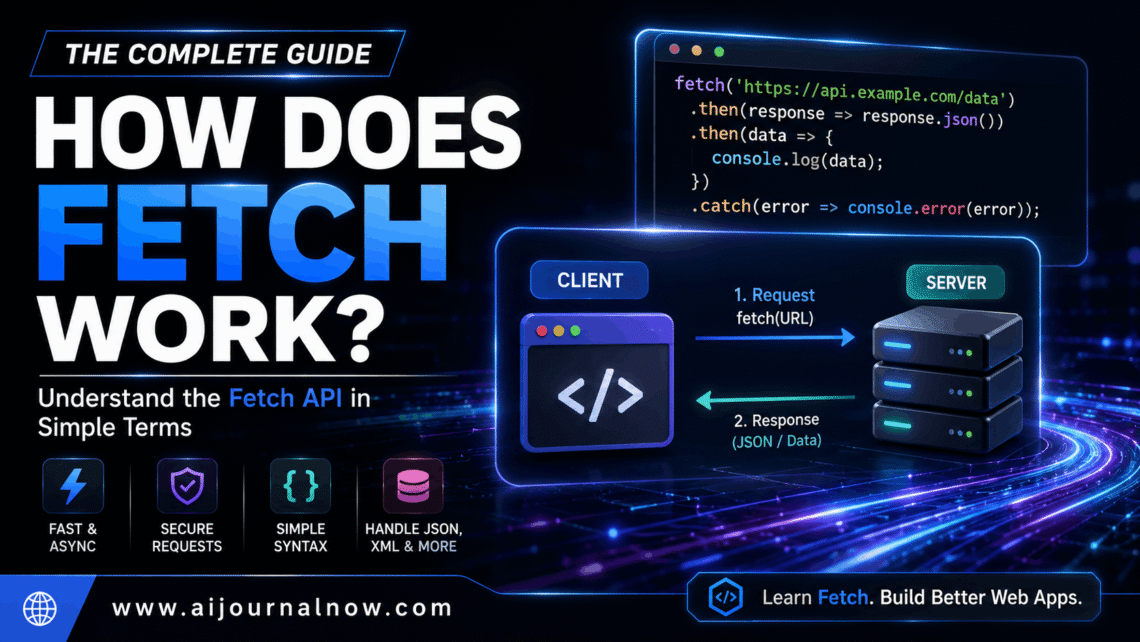
If you’ve ever viewed a website and seen new material pop up without the entire page reloading, then you’ve already seen the answer to how does Fetch work in real time. The Fetch API is a native JavaScript API for making web applications transmit and receive data from a server in the background without a full page refresh and without disrupting what the user is doing on the page.
Looks complicated. It does not have to feel like that. Here it is discussed from the ground up.
What is the Fetch API?
But before we go into how does Fetch work in practice, it helps to know what it actually is.
Fetch is a native browser API, which means it’s incorporated into modern browsers and doesn’t need any third-party library to utilize. It was a replacement for older methods like XMLHttpRequest, which, while working, was infamously difficult to create and harder to comprehend. Fetch cleaned all of that up with a simpler, promise-based syntax that feels a lot more natural to work with.
When a web page has to load new data—for example, obtaining updated prices from a server, submitting a contact form, or retrieving a list of search results—Retrieve takes care of that communication in the background, discreetly and out of sight. The user never sees the request in use. All they see is the consequence.
How Does Fetch Work, Step by Step
The simplest fetch call looks like this:
“`js fetch(‘https://api.example.com/data’) ..then(response => response.json()).then(data => console.log(data)) .catch(error => console.error(‘Error:’, error));
You provide it a URL to pull, and it makes an HTTP GET request to that location. The server returns a response . Whatever is returned , your code processes . So that’s the basic loop of how does fetch work. A request goes out, a response comes back, your code does something with it.
What are Promises Fetch is built on top of JavaScript Promises so you will notice `.then()` chained after it. A Promise is an object that represents the eventual completion or failure of an asynchronous operation.
Think about it as ordering take out. You make an order ( the fetch call ) , and you receive a receipt ( the Promise ) , and you do other things while you wait. You deal with it when the meal arrives ( the reaction ) . If the restaurant claims they can’t complete the order (error) you handle that too.
Response Reading A lot of newbies get tripped up while learning how does fetch work because of the two-step response procedure. Fetch resolves to a Response object that contains metadata such as the status code, but not the actual body data. You need a second step to get things out.
To get JSON data, you call response.json(). response.text() for text/plain. For files or images, use response.blob(). Each returns another Promise , hence why you see the second `.then() in most examples.
How Does Fetch work with POST requests?
GET requests are used to get data. POST requests are used to submit it, like form submissions, making new records, logging a user in.
Here is how fetch works for transferring data:
“`javascript fetch(‘https://api.example.com/submit’, { method: ‘POST’, headers: { ‘Content-Type’: ‘application/json’ }, body: JSON.stringify({ name: ‘Alex’, email: ‘alex@example.com’ }) });
Fetch can also take a second argument, an options object. You use this to set the method, headers, and body of the request. The body must be a string; thus, the object is converted using `JSON.stringify()` before being sent.
—
How Does Fetch Work in Practice: Practical Examples
Fetch is used all the time in news websites, social feeds, dashboards, etc. When you scroll down and postings appear automatically, that’s fetching fresh data from a server and putting it into the page without a full reload.
Form submission without page refresh Contact forms, newsletter subscriptions, and login screens can all utilize fetch to submit data. This allows the user to stay on the same site, showing a success message inline, rather than switching to another page.
Talking to Third-Party APIs Fetch is a critical tool for talking to third-party APIs, whether you are a marketer producing dashboards, a freelancer working with payment gateways, or a developer pulling in weather or stock data. Essentially, understanding how does fetch work is the foundation of modern web integration work.
Advantages and Real Limitations
Fetch is sleek, readable and built into every modern browser with no setup needed. It is considerably easier to understand the Promise-based structure than the outdated callback-heavy code when dealing with asynchronous logic. Error handling , chaining numerous queries and coping with diverse data types are very trivial once the pattern clicks .
Things to be aware of Fetch does not throw an error for unsuccessful HTTP replies such as 404 or 500. If the server responds with an error status, `fetch` still resolves the Promise; you need to check `response.ok` by hand. And that one surprises newbies more than anything else.
Modern browsers have good browser support, whereas extremely outdated browsers like Internet Explorer have bad browser support. If legacy support is important for your project, you may use a polyfill or a library like Axios.
Conclusion
Understanding fetch opens up a significant part of current web programming. It’s basically a clean, legible way to talk to servers—issue a request, get a response, and do something with the data. Whether you’re a student writing your first API call, a freelancer developing client dashboards, or a marketer linking tools with online interfaces, fetch is one of those essentials that keeps popping back. Learn it once, and it appears everywhere.
Questions & Answers
Q1 . What is the difference between fetch and XMLHttpRequest? Request?
Both make HTTP calls, but fetch is cleaner. It’s much easier to comprehend and write promise-based syntax. XMLHttpRequest uses event listeners and callbacks, which leads to tightly layered, harder to maintain code. Fetch essentially took over for XMLHttpRequest. Request for recent usage cases.
Q2: Is fetch supported in all browsers?
Yes, fetch is supported in all modern browsers such as Chrome, Firefox, Safari, and Edge. Internet Explorer doesn’t support it out-of-the-box. For projects that still need IE support, a fetch polyfill can bridge the gap.
Q3: Why doesn’t fetch automatically reject on 404 or 500?
Fetch only rejects on network problems; everything that completes a response from the server (including error status codes) is a successful completion. You should verify `response.ok this by examining `response.status` by yourself to correctly handle HTTP failures.
Q4. What about fetch and authentication tokens?
When you do the request, you include authentication headers in the options object. For Bearer token auth, you would include ‘Authorization’: ‘Bearer your-token-here’ in the headers property. This lets the server know who is making the request and whether they are allowed.
Also Read: Deal Soldier App: Find Hidden Clearance Deals Near You