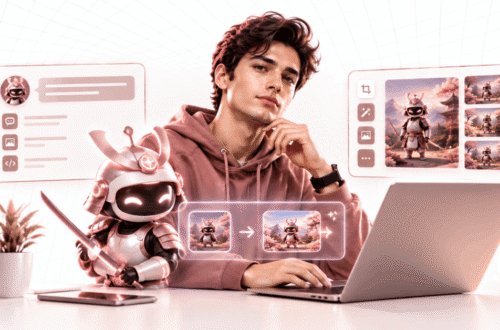
The AirBrush AI image enhancer is part of AirBrush, a popular portrait and selfie editing app made by Pixocial Technology in Singapore. It automatically improves light, colour and detail, and can upscale photos to higher resolution. The basic online enhancer is free once you log in, and AirBrush Pro starts at around $7.99 a month.
Before you sign up, check which Airbrush you mean. A separate, unrelated product called Airbrush AI is an image generator with its own 4x enhancer and a completely different pricing model. The names are almost identical and the products are not.
Which Airbrush Is Which
| AirBrush | Airbrush AI | |
|---|---|---|
| Made by | Pixocial Technology, Singapore | A separate company |
| Main purpose | Portrait and selfie retouching | Generating images from text |
| Enhancer | Auto enhancement and upscaling, plus beauty tools | Upscaling up to 4x, max 4096 x 4096 pixels |
| Platforms | iPhone, Android, web and desktop | Web |
| Pricing | Free tier, Pro subscription | 20 free credits, $9 for 500 credits |
If you have seen AirBrush’s face editing features, that is the Pixocial app. If you were looking for a text-to-image generator, that is Airbrush AI.
What AirBrush’s Enhancer Does
The enhancer scans a photo and adjusts brightness, colour balance and sharpness in one step, aiming for a clearer, more polished result without manual editing. It also offers AI upscaling, including a 4X Ultra HD mode, which on the free online version requires you to log in to an account.
Enhancement is only part of the app. AirBrush is best known for portrait retouching, and its App Store listing describes tools for removing blemishes, smoothing wrinkles and skin tone, reshaping facial features, whitening teeth and brightening eyes. It also includes background removal, an object eraser, a tool that extends the edges of a photo, and batch editing.
In 2025 Pixocial also launched AirBrush Studio, a desktop app for Windows and Mac aimed at more serious portrait editing. That version requires a premium subscription.
What It Costs
AirBrush uses a freemium model. Basic editing is free, with limited access to retouch styles and AI tools. AirBrush Pro unlocks unlimited use of the AI tools, premium filters, batch processing and watermark-free exports.
Published Pro prices vary by platform and by promotion. One review lists about $7.99 a month or $35.99 a year, while another listing shows a higher annual price with a large discount applied. Check the price inside the app or on the website at the moment you subscribe, because it may differ from what reviews quote.
AirBrush also sells AI headshots, professional-style profile photos generated from your selfies, starting at $4.99.
The Subscription Complaints
Recent reviews on the Google Play listing raise a specific billing problem. Several users say they repeatedly have to use the restore purchases option to get the premium features they already paid for. One reviewer who paid for a full year in January 2026 reported that an update ended their premium access with six months still remaining.
These are individual reports rather than verified findings, and the developer responds to reviews. But the pattern is worth knowing before you pay for a year upfront.
Two sensible precautions. Keep your purchase receipt. And if premium features disappear, go through Apple or Google to restore or dispute the purchase, since app store subscriptions are managed by the store, not only by the app.
Airbrush AI, the Other One
Airbrush AI is a web-based image generator. You type a prompt and it creates artwork, photorealistic images, anime, logos and more. The same credits also cover its photo enhancer, which upscales images up to four times, to a maximum of 4096 by 4096 pixels.
The free plan includes 20 credits, and the premium plan is $9 for 500 credits. Images come with commercial usage rights, including resale and merchandise, according to its listing.
One thing to check: listings describe its generator as using models such as Stable Diffusion, Stable Diffusion XL and DALL-E 2. Those are older models by 2026 standards, and newer image models produce noticeably better results. If image generation is what you want, compare its output against current options in our AI image generator comparison before buying credits.
What an AI Enhancer Actually Does to Your Photo
This applies to every AI upscaler, not just AirBrush.
Traditional enlarging stretches existing pixels. AI enhancement does something different: it predicts what the missing detail probably looked like and draws it in. The result often looks sharper and more natural, but some of that detail is invented.
For a social media photo, that is fine. It matters more in other situations. On faces, AI enhancement can subtly change features, so a heavily enhanced old family photo may look less like the actual person. And an enhanced image should never be treated as evidence of what really happened, since fine details may have been added by the AI rather than captured by the camera.
If You Retouch Photos for Work
AirBrush is popular with influencers and creators, and commercial retouching comes with rules in some places.
France requires commercial images to carry a label when a model’s body shape has been retouched. Norway requires labels on advertising where bodies or skin have been retouched, including by influencers. In the UK, the advertising regulator has ruled against beauty ads that used filters to exaggerate a product’s effect.
If you promote beauty or skincare products, do not use skin-smoothing or reshaping tools on photos meant to show what the product does. This is general information, not legal advice, so check the rules in the markets you post to.
Alternatives
If you mainly want to upscale or clean up photos, several broader platforms include enhancers. Our review of Magic Hour covers a platform with an upscaler among many AI tools, and our look at LensGo, now Lovino covers another workspace that includes one. For removing backgrounds specifically, see our piece on Craiyon’s background remover.
Frequently Asked Questions
Is the AirBrush AI image enhancer free?
The basic online enhancer is free after you log in. More advanced modes, unlimited AI tools and watermark-free exports require AirBrush Pro, which starts at around $7.99 a month.
Is AirBrush the same as Airbrush AI?
No. AirBrush is a portrait and selfie editing app from Pixocial Technology. Airbrush AI is a separate image generator with its own enhancer and credit-based pricing.
Who makes AirBrush?
AirBrush is made by Pixocial Technology (Singapore) Pte. Ltd. It is available on iPhone, Android, the web and as a desktop app called AirBrush Studio.
The Practical Call
For quick selfie clean-ups and simple enhancement, AirBrush’s free online tool is a reasonable place to start, and you can decide on Pro once you know you will use it regularly. Try a monthly plan before committing to a year, given the recent subscription complaints.
If you actually wanted an image generator, you are looking for Airbrush AI instead, and it is worth comparing its output with newer models first. Whichever you use, remember that AI enhancement adds detail as well as revealing it, which is perfect for social posts and wrong for anything that needs to be a faithful record.
Published: September 22, 2026